

Customer Messaging
Give website visitors a direct path to start a supported customer conversation.
Realtime Business Communication Systems
ASFIT Solutions develops business chat applications that bring website enquiries, customer conversations, staff responses, and conversation history into one organized communication workflow.
The interface and message workflow are shaped around the agreed channels, staff roles, customer context, and supported integrations.
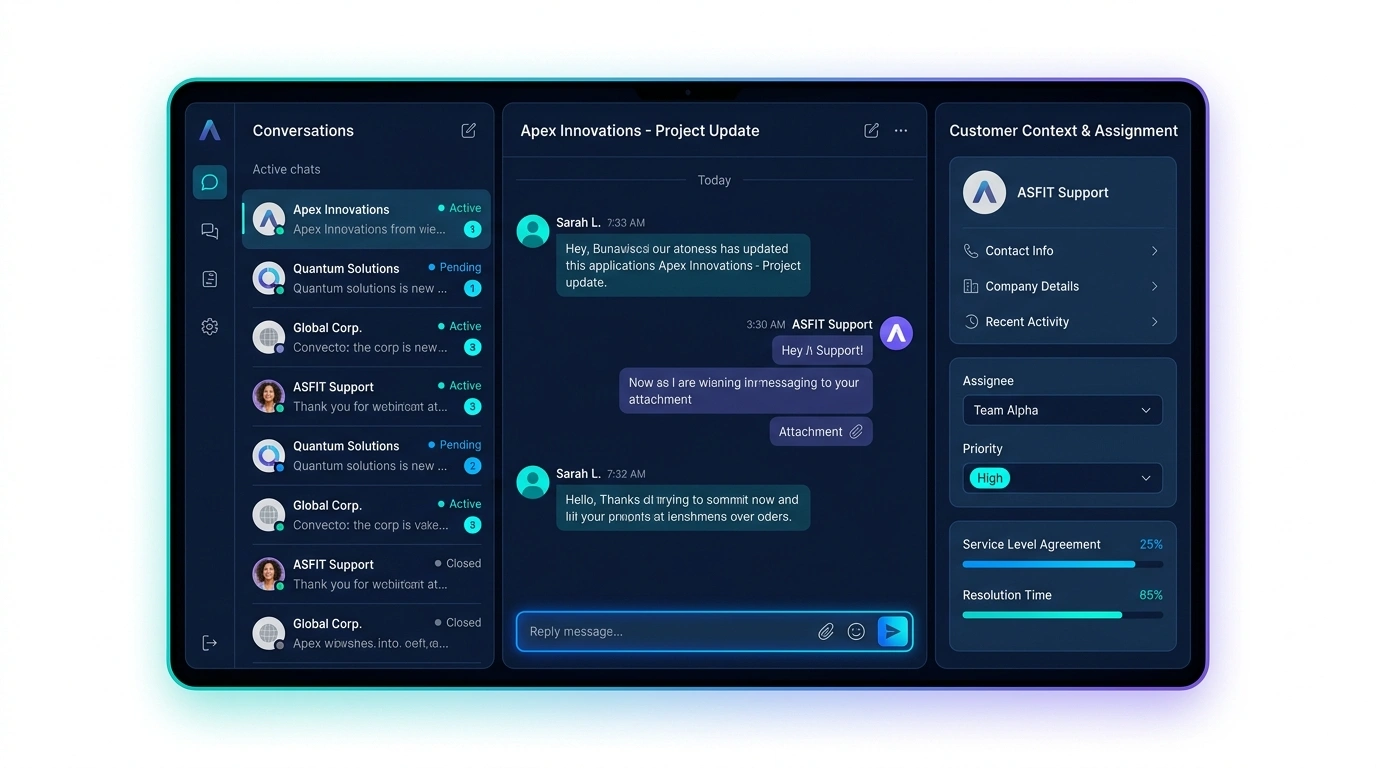
Direct Business Summary
A custom business chat application helps staff see who contacted the business, what they asked, who is responsible, and what conversation history is available.
Give website visitors a direct path to start a supported customer conversation.
Bring active, pending, and resolved conversations into one staff workspace.
Make the assigned staff owner and current conversation status easier to review.
Keep useful customer communication context available to authorized team members.
Target Audience
Business chat systems are useful when several customer conversations need shared context, clear responsibility, and a repeatable staff workflow.
Consulting firms, agencies, and service teams that want website visitors to start direct customer conversations.
Teams that need new website enquiries, ownership, status, and prior conversation context in one shared view.
Support staff handling recurring customer questions across several active conversations.
Organizations where more than one team member may review, assign, or respond to customer messages.
Businesses using their website to start conversations and route suitable enquiries to staff.
Companies managing longer customer discussions that benefit from shared history and responsibility.
Communication Fragmentation
Messages spread across separate tools can make customer context, responsibility, and follow-up difficult for the whole team to understand.
Recognizable Communication Problems
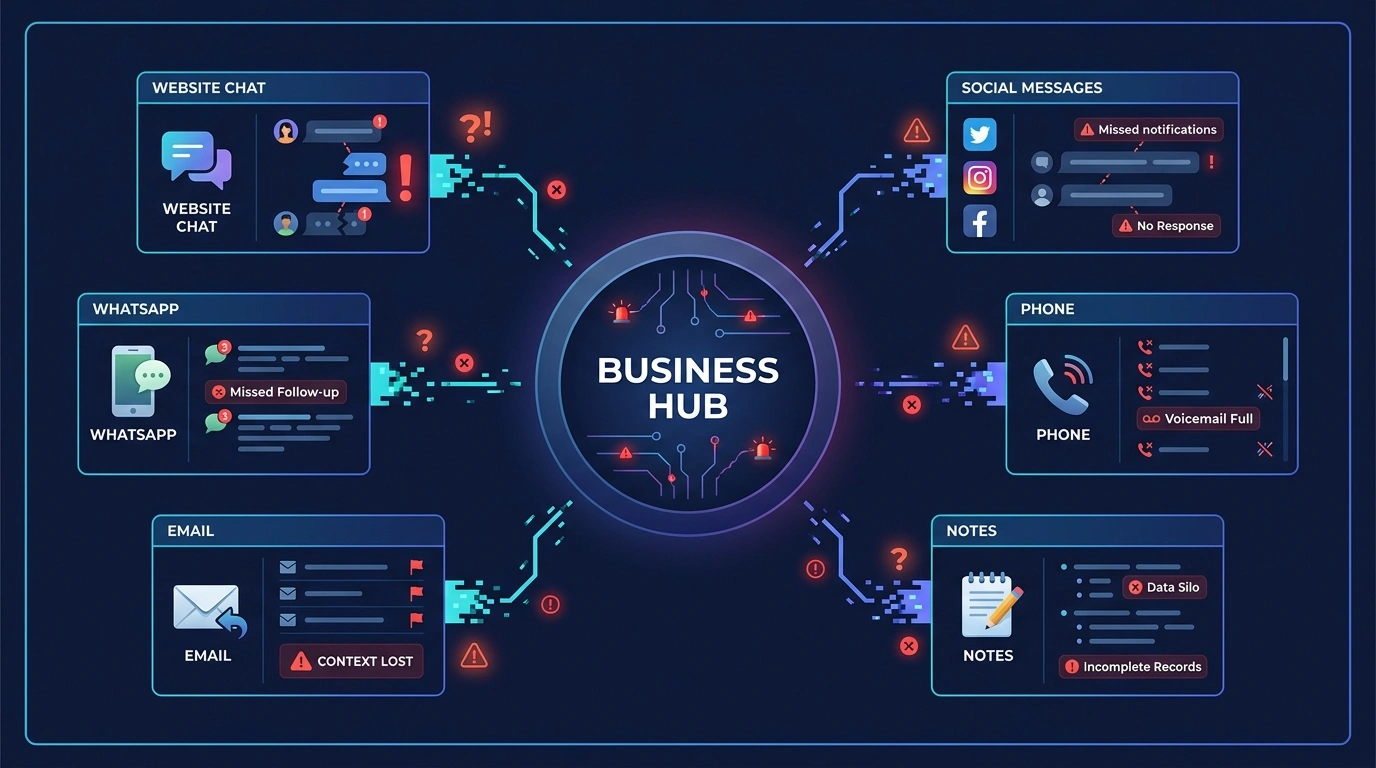
Workflow Transformation
See the operational difference between disconnected messaging and an organized shared conversation workflow.
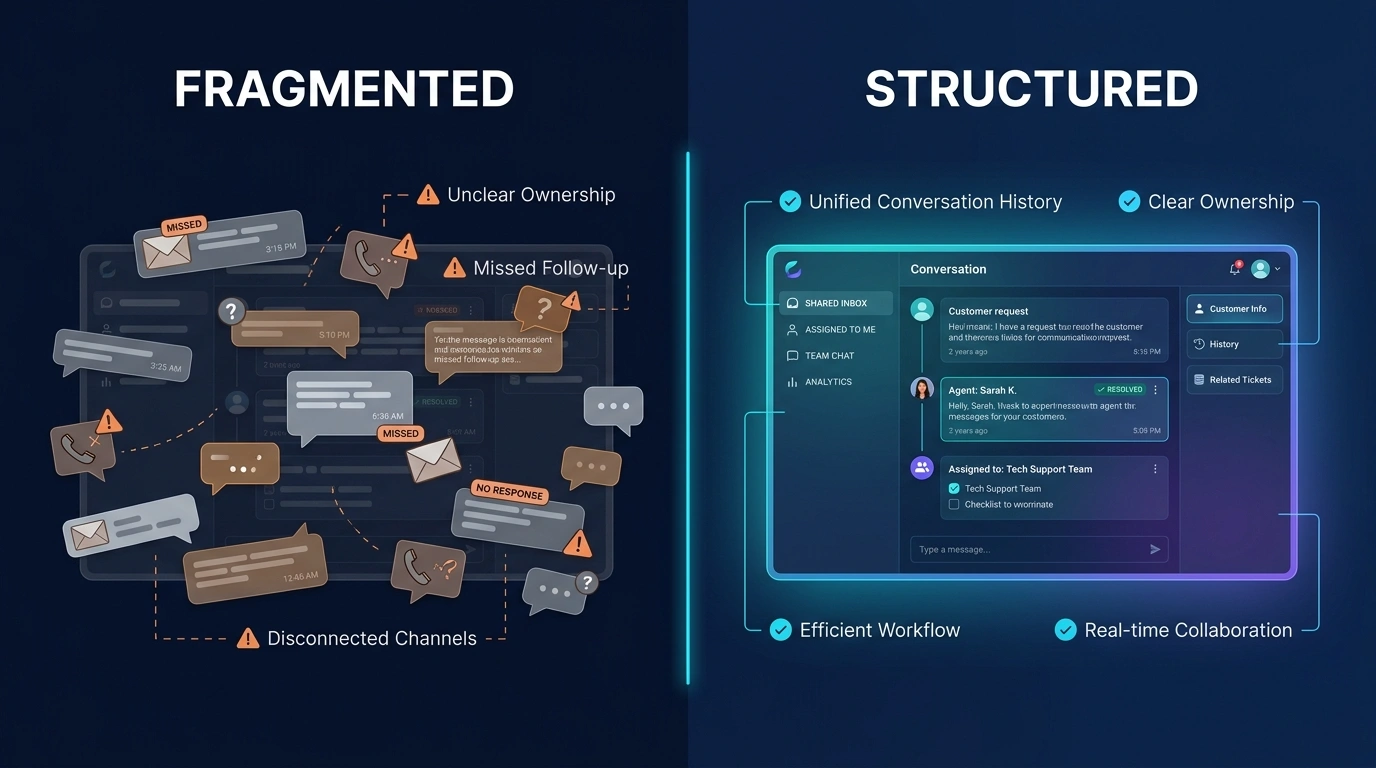
Before
Structured
Capability Breakdown
Capabilities are selected around the customer messaging workflow, staff responsibilities, and systems agreed for the project.
A website chat button and messenger experience for visitor enquiries.
A centralized inbox for supported active, pending, and resolved conversations.
Stored message context available to authorized team members.
Ownership controls for assigning conversations to suitable staff members.
Agreed stages such as active, pending, resolved, or requiring follow-up.
Useful contact, enquiry-source, and visitor context where included.
Supported image or document attachments where required and included.
Supported message alerts or staff notifications where applicable.
Conversation labels shaped around departments, services, or enquiry types.
Reusable response templates for suitable recurring customer questions.
Supported links between chat contacts, conversations, and CRM records where required.
Role-appropriate access controls for agreed staff and supervisory functions.
Available capabilities depend on project requirements and agreed scope.
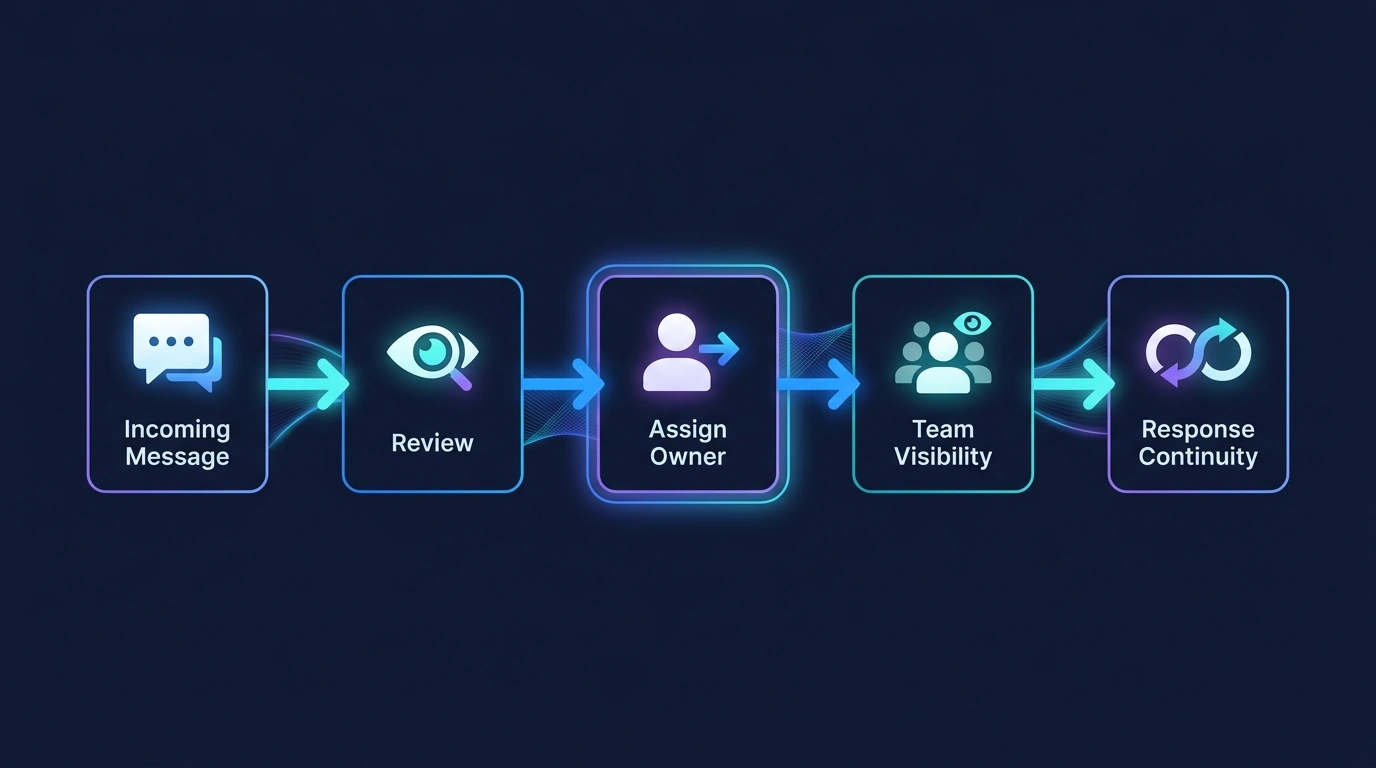
Message Lifecycle
A structured path can move a website visitor from an initial message to a staff response and an available conversation record.
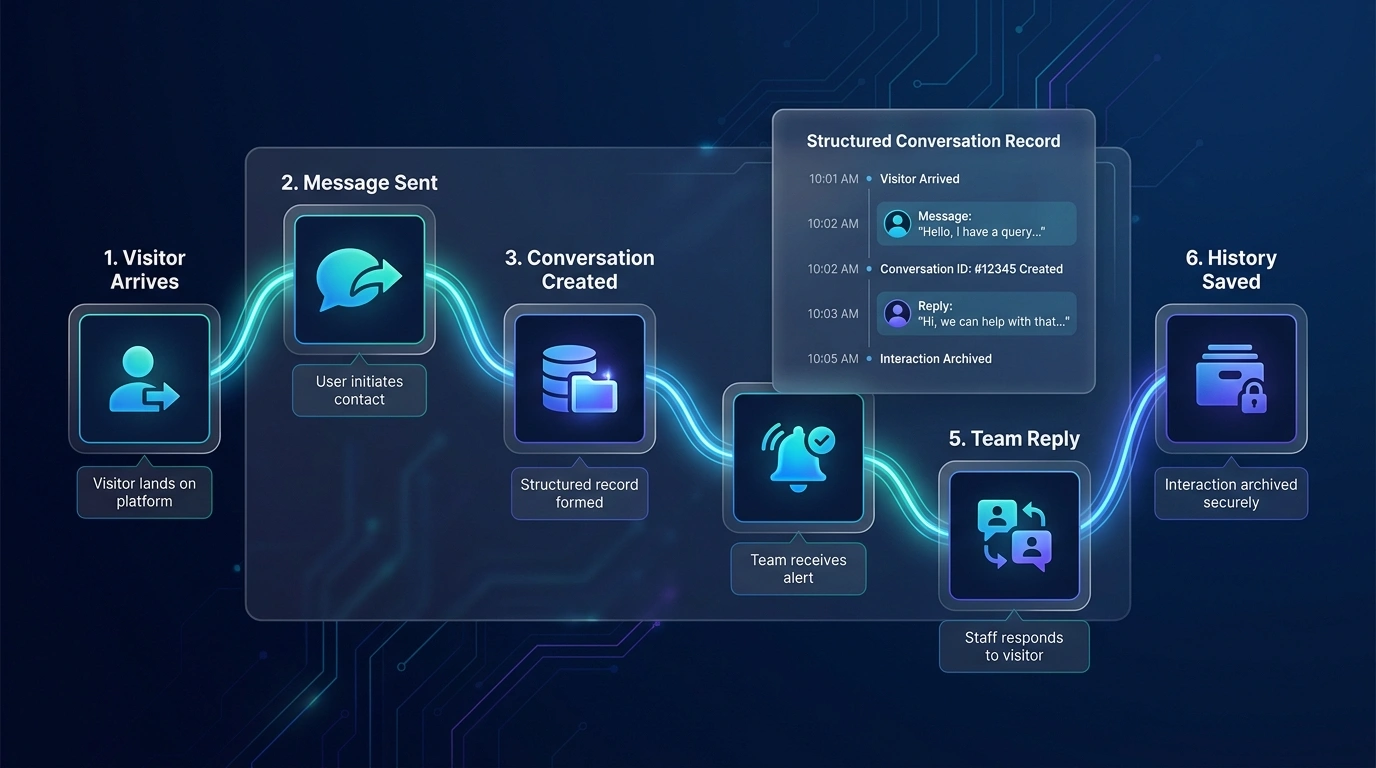
The exact message, notification, assignment, and history behavior depends on the agreed application workflow.
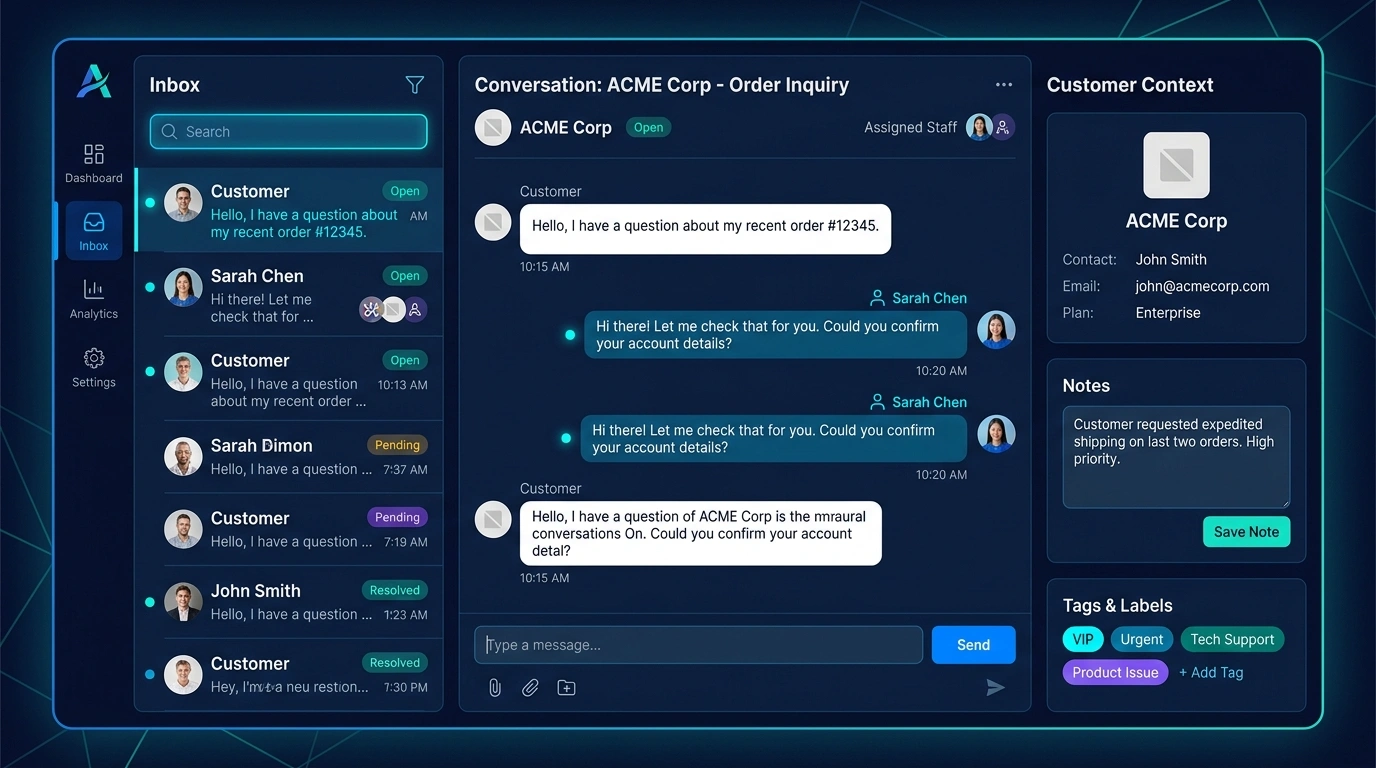
Team Workspace UI
A shared workspace helps authorized staff review active conversations, customer context, assignment, status, and available history.
Ownership Control
Clear assignment helps staff understand who owns the conversation, what its status is, and whether another action is required.
When a customer message arrives, the team can review whether it is unassigned, who currently owns it, and which stage it has reached. This reduces duplicate responses and makes further action easier to coordinate.
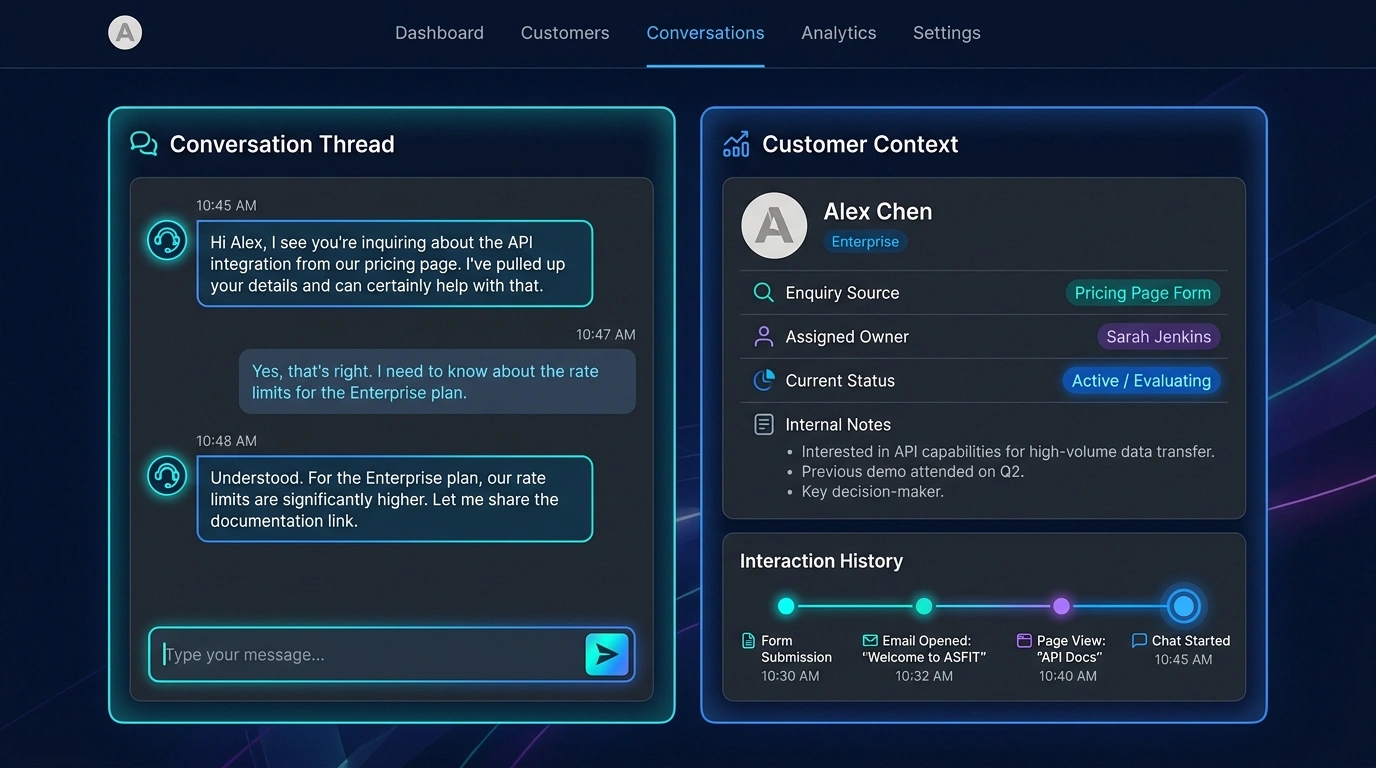
Historical Context
Relevant conversation records help authorized staff understand the customer without reconstructing every previous interaction from separate tools.
Authorized staff can review previous conversation history alongside useful contact details, notes, assignment, enquiry source, and relevant next actions where included in the agreed workflow.
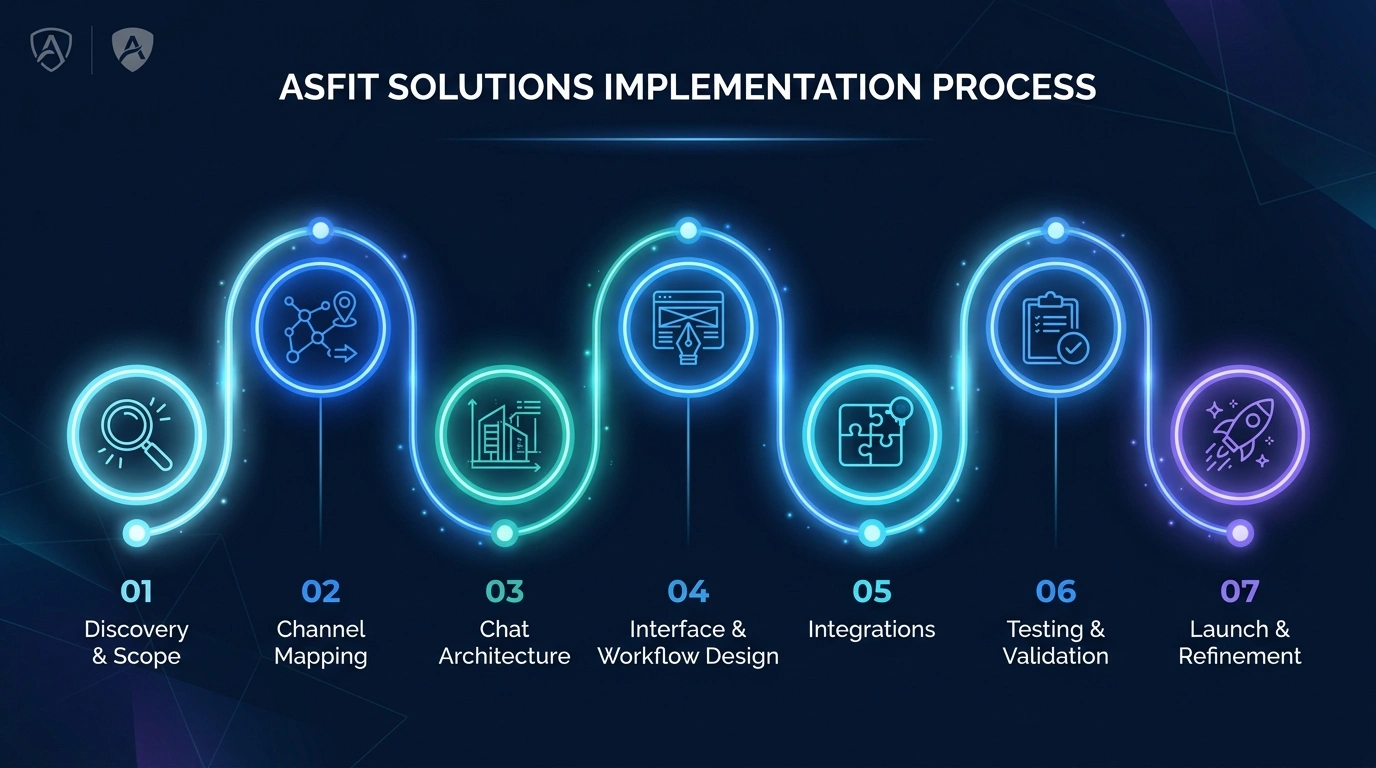
Development Timeline
A structured process moves from channel and workflow discovery through application architecture, implementation, validation, and launch refinement.
Review customer channels, message types, staff roles, and current communication problems.
Map the visitor journey, conversation states, assignment, and response workflow.
Plan messaging, conversation records, history, permissions, and application boundaries.
Build the agreed chat widget, staff workspace, assignment, status, and context views.
Connect supported website, CRM, notification, or communication systems where required.
Test message delivery, assignment, history, staff access, responsive behavior, and supported recovery.
Launch the approved application, support staff orientation, and review practical refinements.
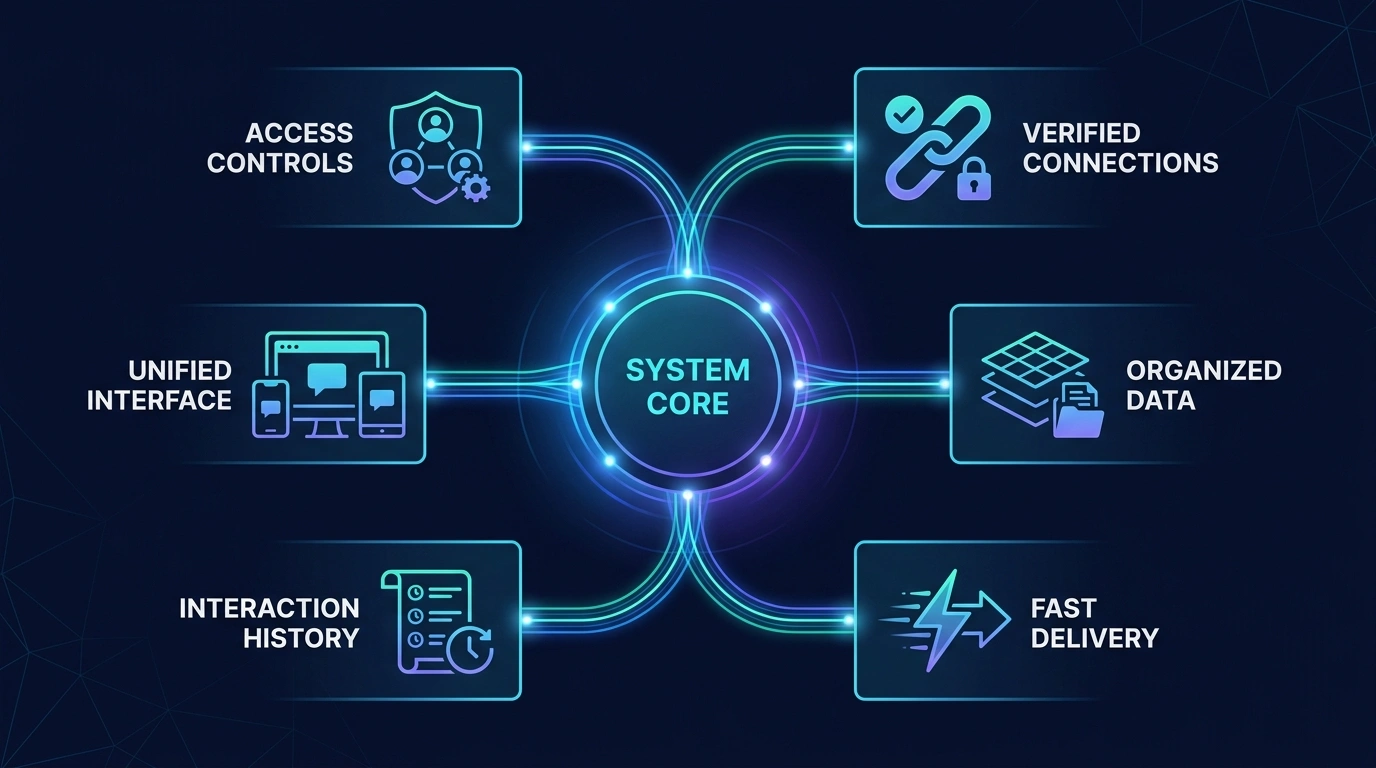
System Reliability
Business chat applications need practical access controls, organized records, responsive interfaces, and dependable message handling within the agreed architecture.
Supported conversations can update promptly without requiring manual page refreshes.
Previous communication remains organized for authorized staff review.
Staff access can reflect agreed conversation queues and responsibilities.
The staff workspace is planned for practical desktop, tablet, and mobile use.
The application can handle temporary connection interruptions within the agreed architecture.
Authenticated staff access and supported application safeguards are planned into scope.
System Connectivity
A business chat application can act as a central communication workspace connected to supported customer channels and business tools.
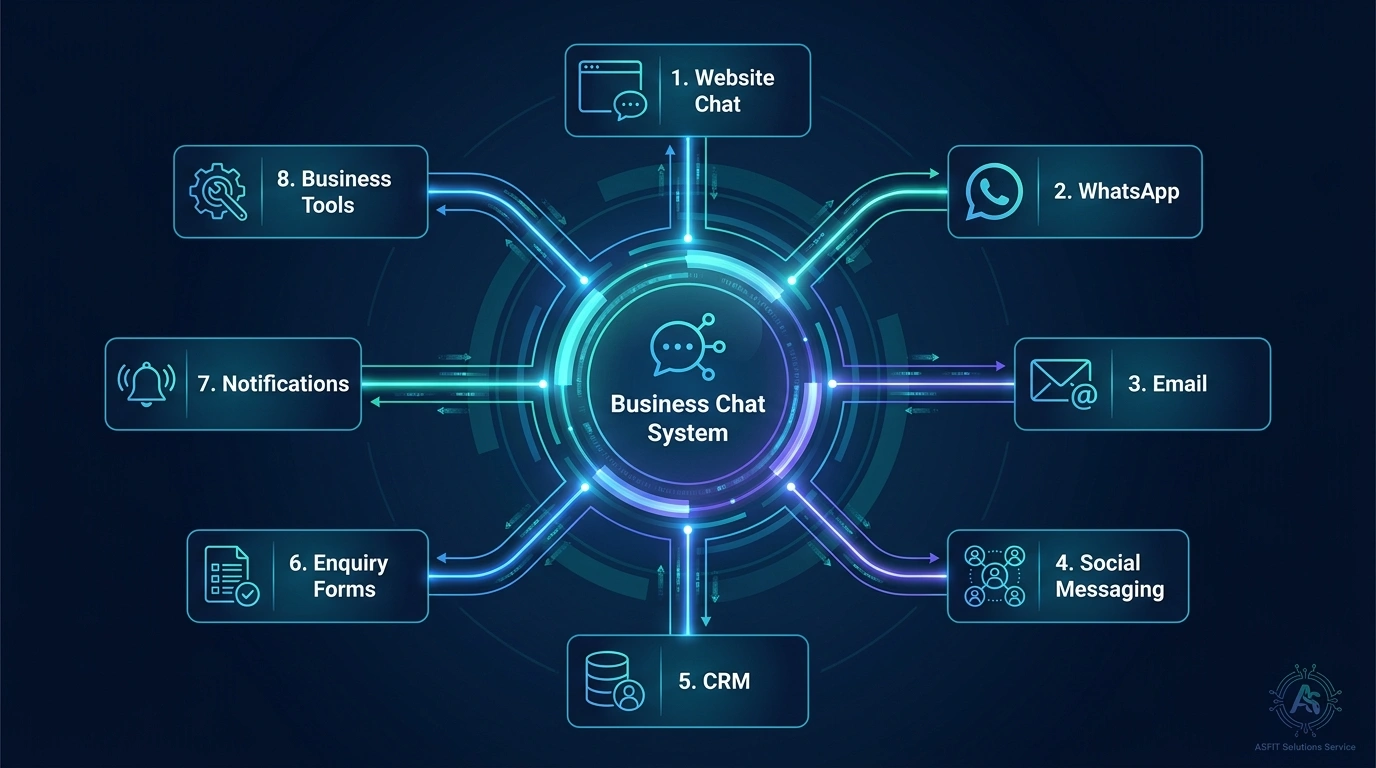
Available integrations depend on project requirements and supported platforms.
Practical Value
See how a shared communication workflow can improve everyday visibility, responsibility, continuity, and customer context.
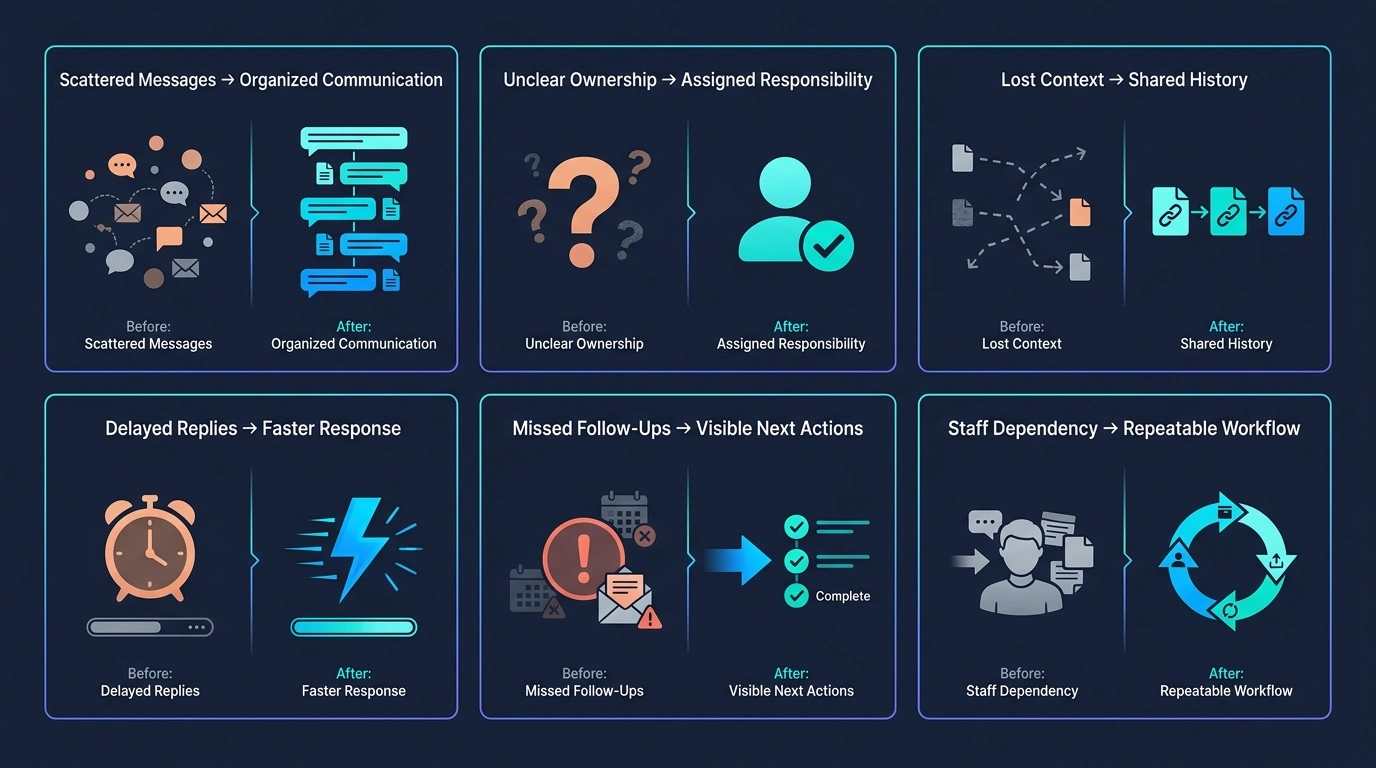
From: Missed website enquiries
To: Visible incoming conversations
From: Personal staff messages
To: Shared business chat history
From: Unclear ownership
To: Assigned staff responsibility
From: Repeated customer explanations
To: Available conversation context
From: Forgotten follow-ups
To: Visible next actions
From: Disconnected chat records
To: Organized customer communication
Questions & Answers
Practical answers about website messaging, staff access, assignment, history, supported files, CRM connections, and project scope.
A business chat application is custom software that can provide a website messaging experience for visitors and a shared workspace where authorized staff manage supported customer conversations.
A custom chat application can be designed around your website, staff roles, conversation records, assignment workflow, and supported business systems. WhatsApp is a separate platform with its own features, policies, and integration limits.
Yes. A supported website chat widget can let visitors start a conversation. The visitor fields, consent language, routing, availability behavior, and message workflow are agreed during planning.
Yes. A shared staff workspace can support several authorized users, with conversation visibility, ownership, and permissions shaped around their responsibilities.
Yes. Assignment and ownership can be included so the team can see who is responsible for the current conversation or next action. Automated routing depends on project scope.
Conversation and message history can be stored where included, subject to the agreed data, access, retention, and technical requirements.
A chat application may connect with a CRM where the systems, APIs, data ownership, and required workflow are supported. The integration boundary is reviewed before implementation.
Supported file or image attachments can be included where required. File types, size limits, storage, access controls, and scanning or review needs affect the scope.
AI-assisted features may be considered later where the use case, data handling, oversight, model access, and expected behavior are suitable. Human messaging and AI behavior are planned as separate responsibilities.
Share where customer messages currently arrive, who responds, what context staff need, and which ownership or follow-up problems occur. ASFIT will review the workflow and recommend a practical project scope.
Start Your Chat Project
Tell ASFIT Solutions where customer messages currently arrive, how staff respond, and which parts of conversation ownership or history are difficult to manage. We will review the workflow and help define a practical business chat application scope.