

Website Updates
Review CMS, plugin, theme, and platform update needs where they apply to the agreed website scope.
Ongoing Website Maintenance & Support
Websites need ongoing attention after launch. Content can become outdated, forms and links can fail, and technical changes may need review. ASFIT provides agreed maintenance, content updates, and troubleshooting to help keep important website journeys in good shape.
Each request is reviewed around the platform, available access, and agreed scope before changes are made.
The Foundation of Ongoing Care
Having a live website is only the beginning. Content can become outdated, forms can fail silently, and software dependencies can change over time. Maintenance is a practical way to keep important website details reviewed.
Review CMS, plugin, theme, and platform update needs where they apply to the agreed website scope.
Keep services, team details, images, prices, and other business information current.
Review key contact paths, buttons, and links so visitor actions can be tested.
Review available backup and recovery options before larger agreed changes.
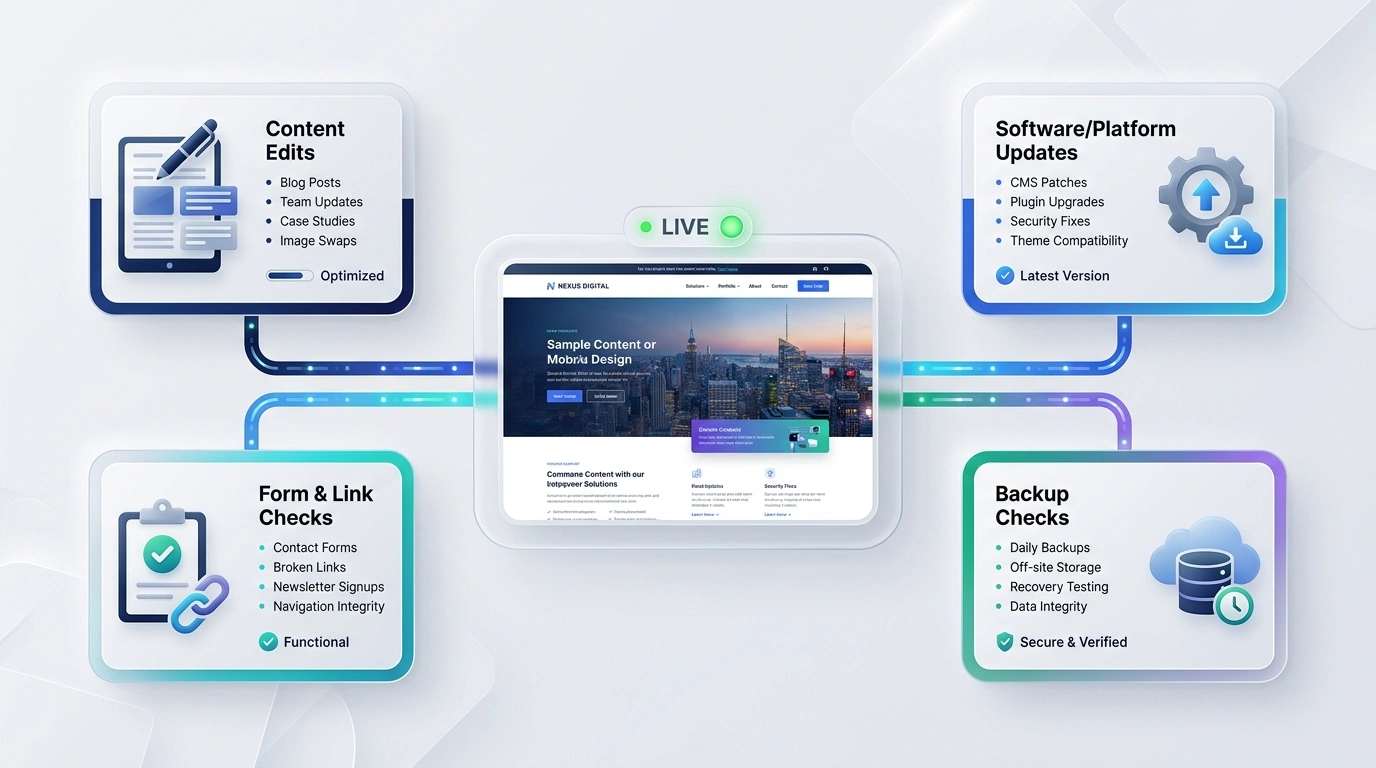
Scope-based maintenance: available tasks are tailored to the website, platform, access, and agreed maintenance scope.
Preventive Website Care
Small issues can accumulate quietly: outdated details, links that no longer lead where expected, or forms and layouts that need attention. A clear maintenance path helps organize the useful work.
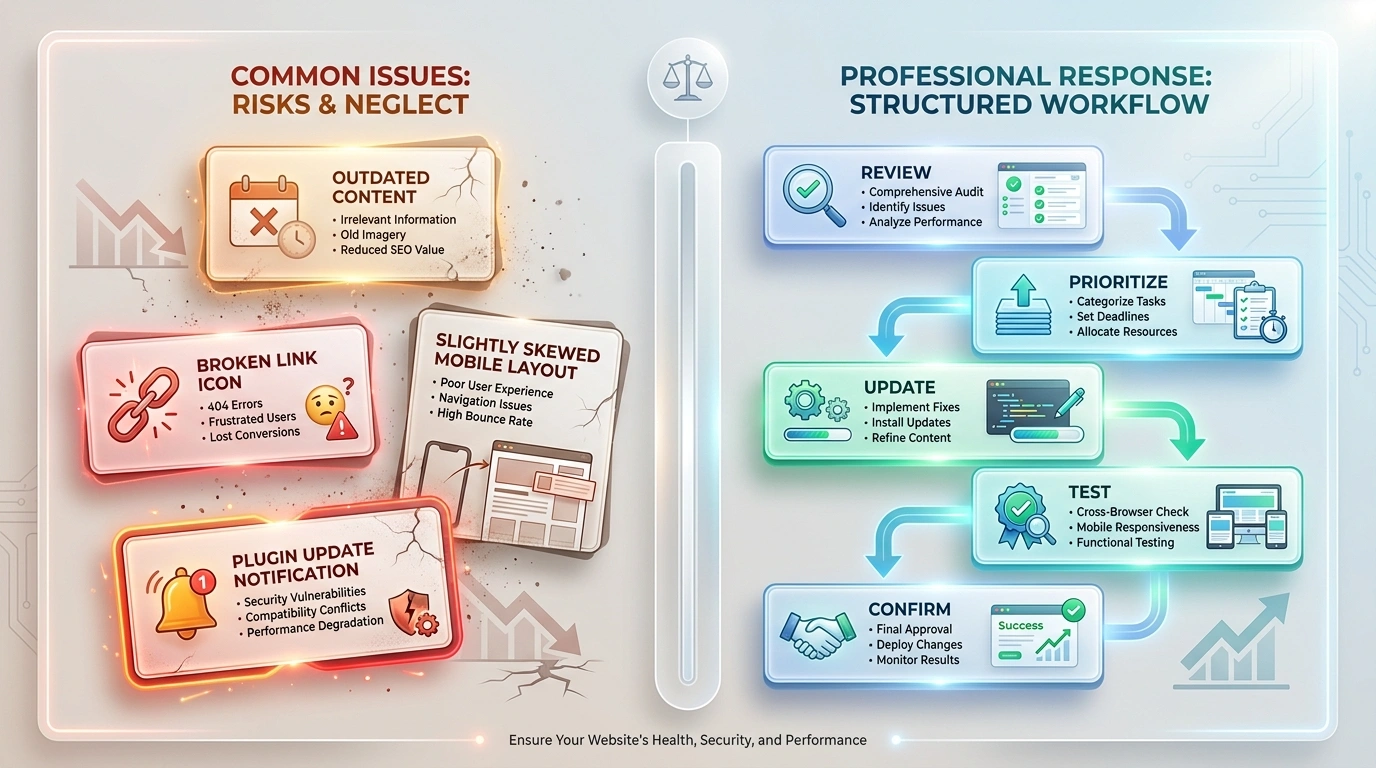
Common Issues / Needs Attention
Structured Maintenance / Practical Way Forward
Tailored Support
Practical support for website owners who need an organized way to keep pages and visitor paths current. Choose the profile that best matches your website.
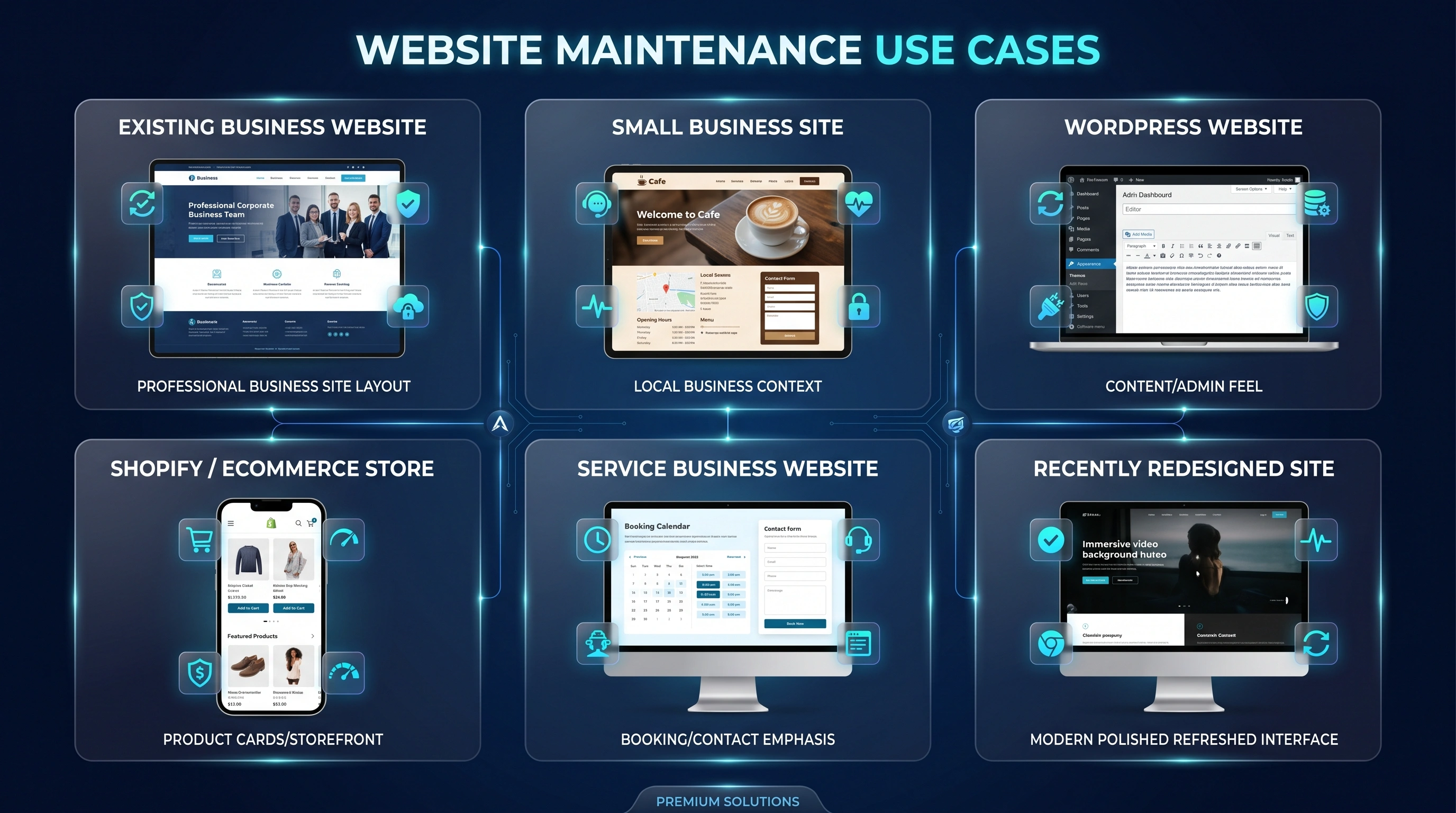
A live website with content, layout, form, link, or technical details that now need attention.
Business information, services, images, and contact paths that change over time.
Pages, content, plugins, themes, and layouts that need practical review and agreed updates.
Store content, collections, product presentation, and customer paths that need attention.
Current services, trust information, enquiry routes, and supporting pages that need to stay accurate.
A newly refreshed website that needs ongoing refinement after the initial launch work.
Strategic Care Approach
Reactive fixes can take attention away from current business priorities. A structured maintenance approach identifies useful checks and agreed updates thoughtfully.
Reactive Care
Structured Maintenance
Service Deliverables
Choose help around the issue you have, not a list of work you may not need. We review the website, available access, and priorities before agreeing what to handle.
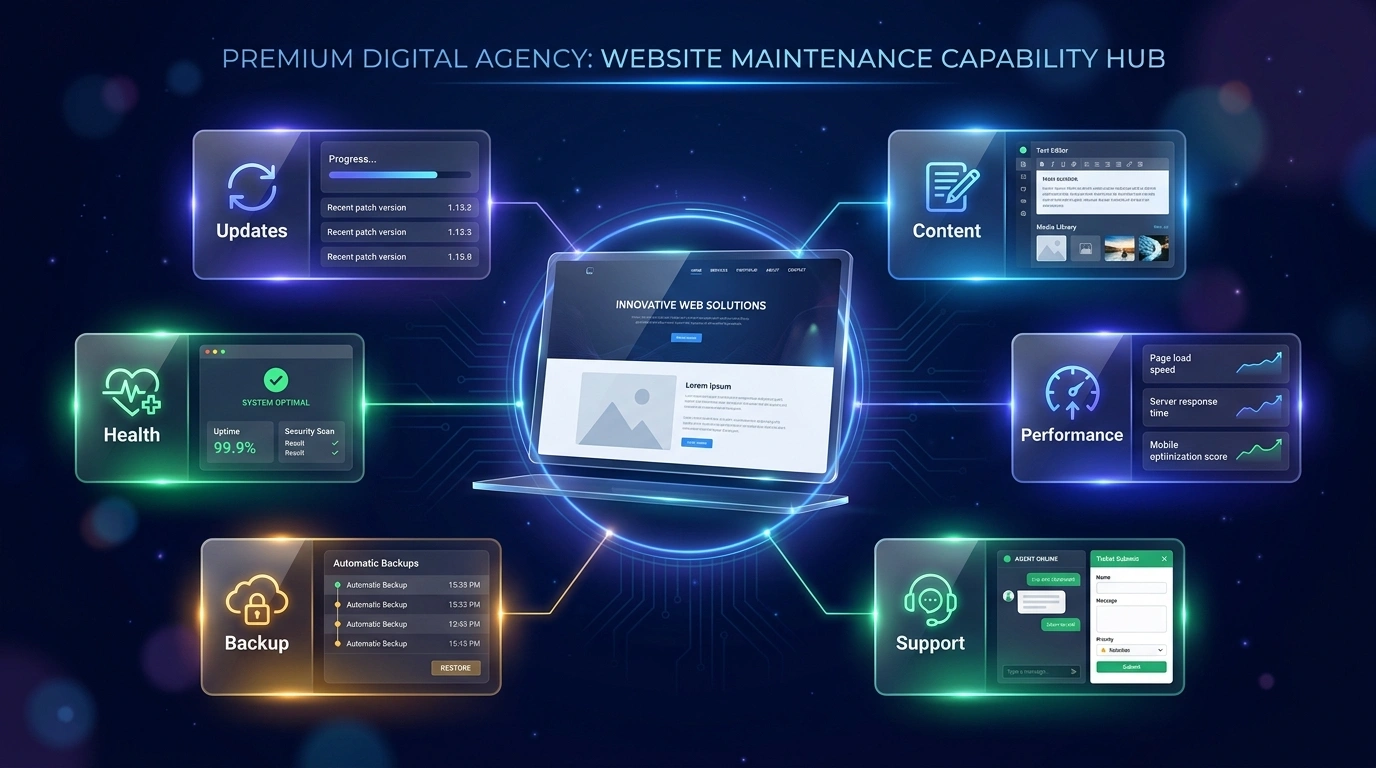
Important scope note: available maintenance tasks depend on platform, website condition, access permissions, current configuration, and agreed maintenance scope.
System Architecture
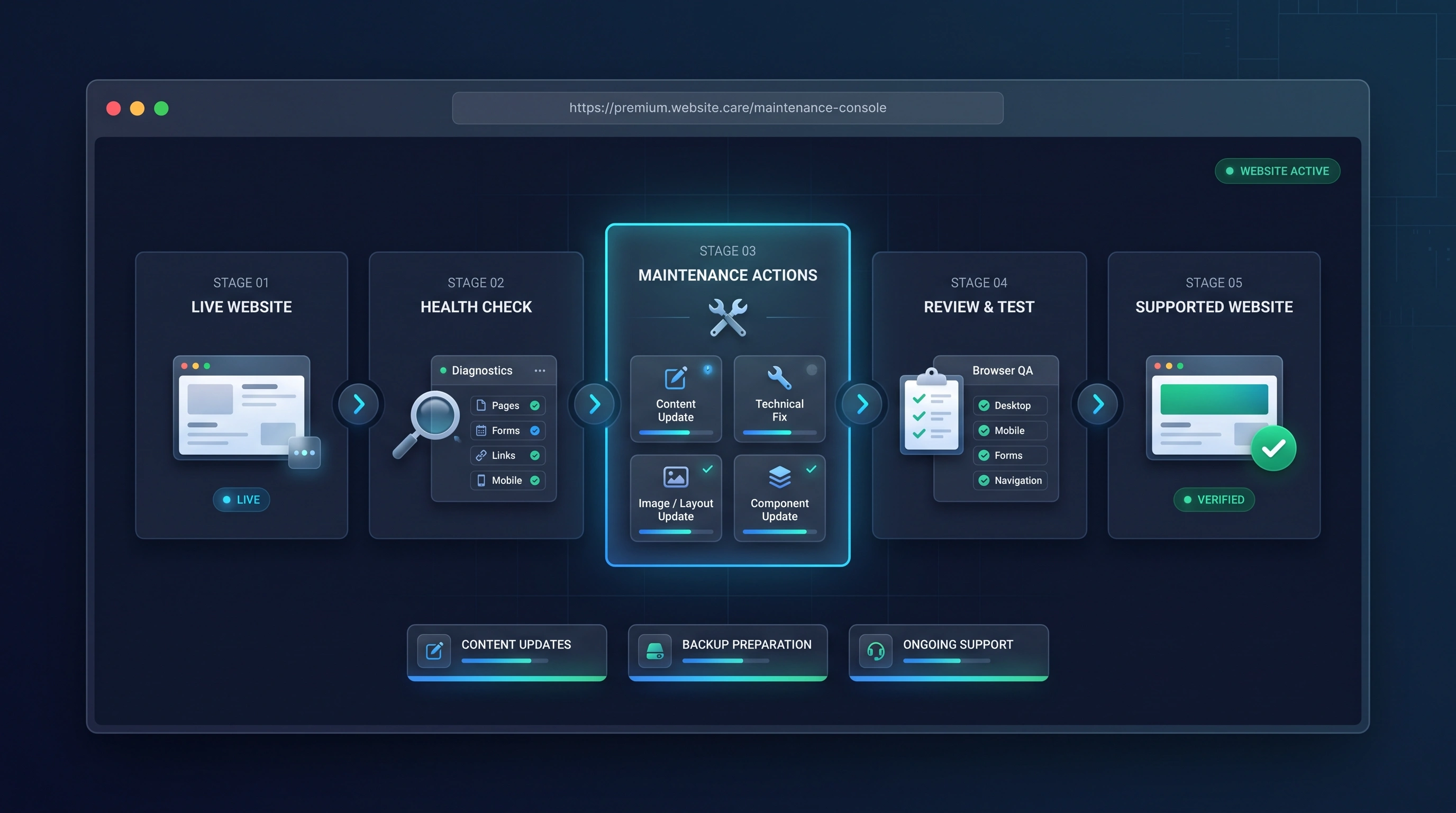
Updates, content, backup preparation, and technical support connect systematically around the same live website to keep day-to-day operations calm and predictable.
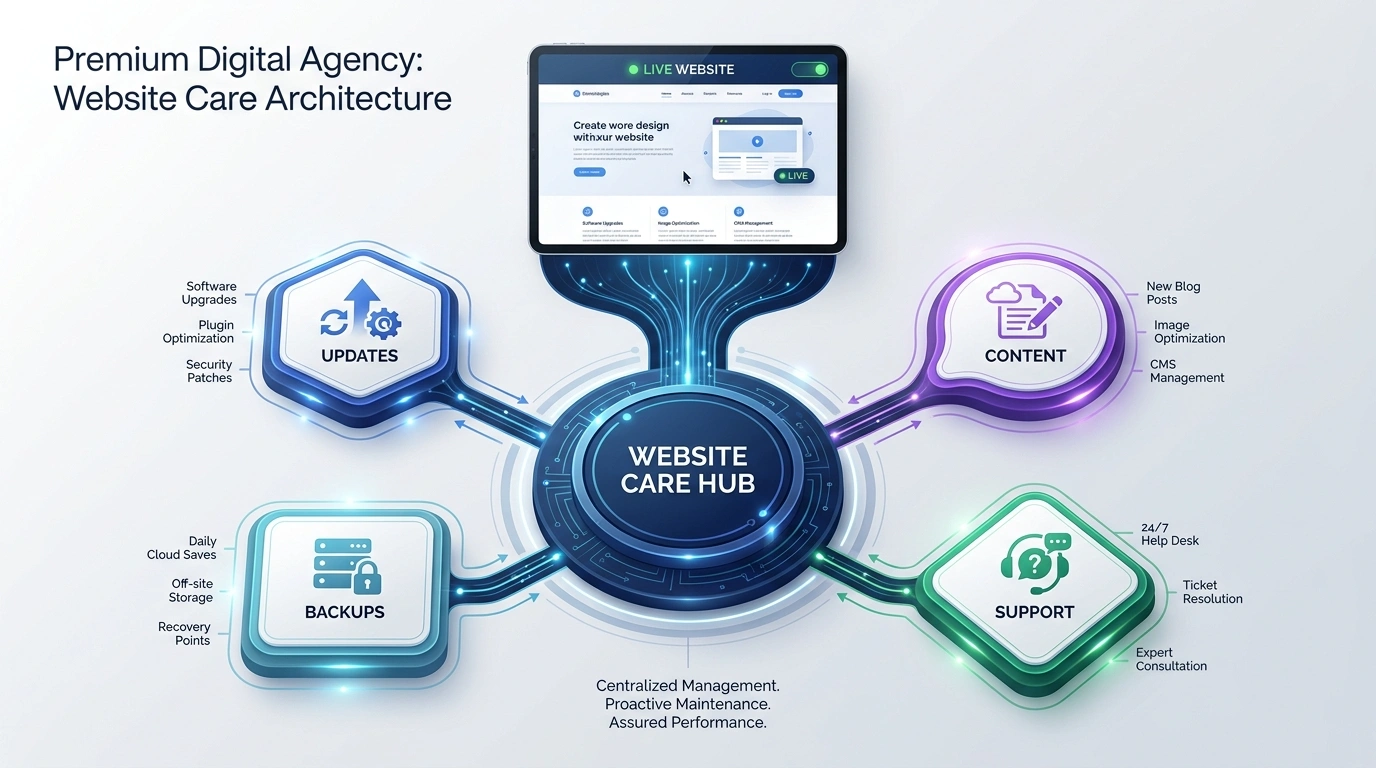
Guidance around CMS, plugin, theme, and platform requirements.
Current services, details, pages, images, and announcements.
Available copies and recovery options reviewed before larger work.
Issue investigation, agreed fixes, and practical next steps.
Content Agility
Before making changes, we clarify what you need and the practical scope. Text edits, image replacements, page adjustments, and form updates then follow an agreed path through testing and confirmation.
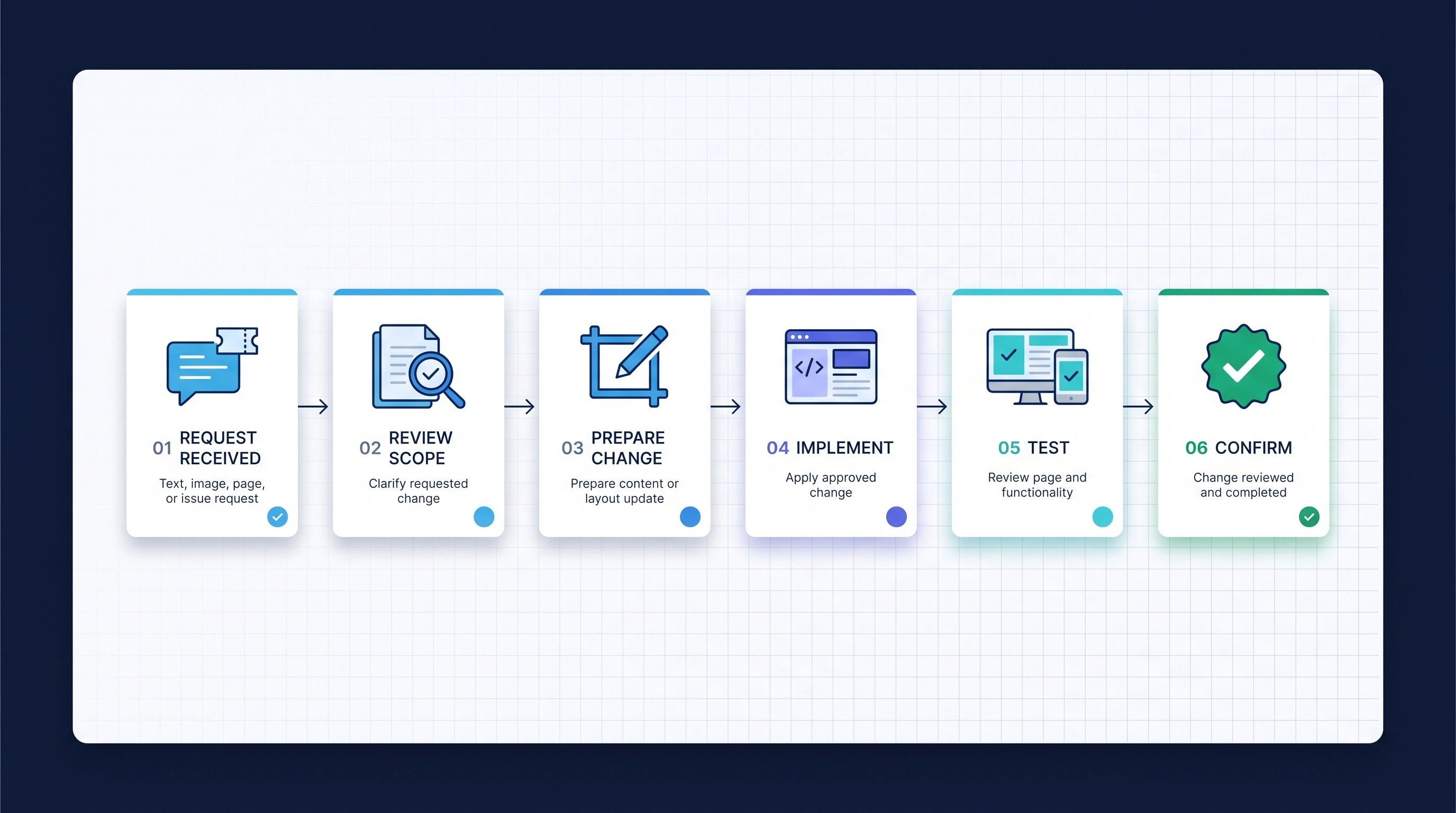
Share the page link, change details, and relevant content or message.
Confirm the requirement, available access, and practical limits.
Prepare text, images, updates, and backup guidance where needed.
Apply the agreed content, image, page, or form update.
Check affected pages and visitor paths across relevant screens.
Explain what changed and any useful follow-up.
Disaster Avoidance
Before larger changes, review the backups available and what restoring the website would involve. Preparation depends on the platform, hosting, access, and available copies.
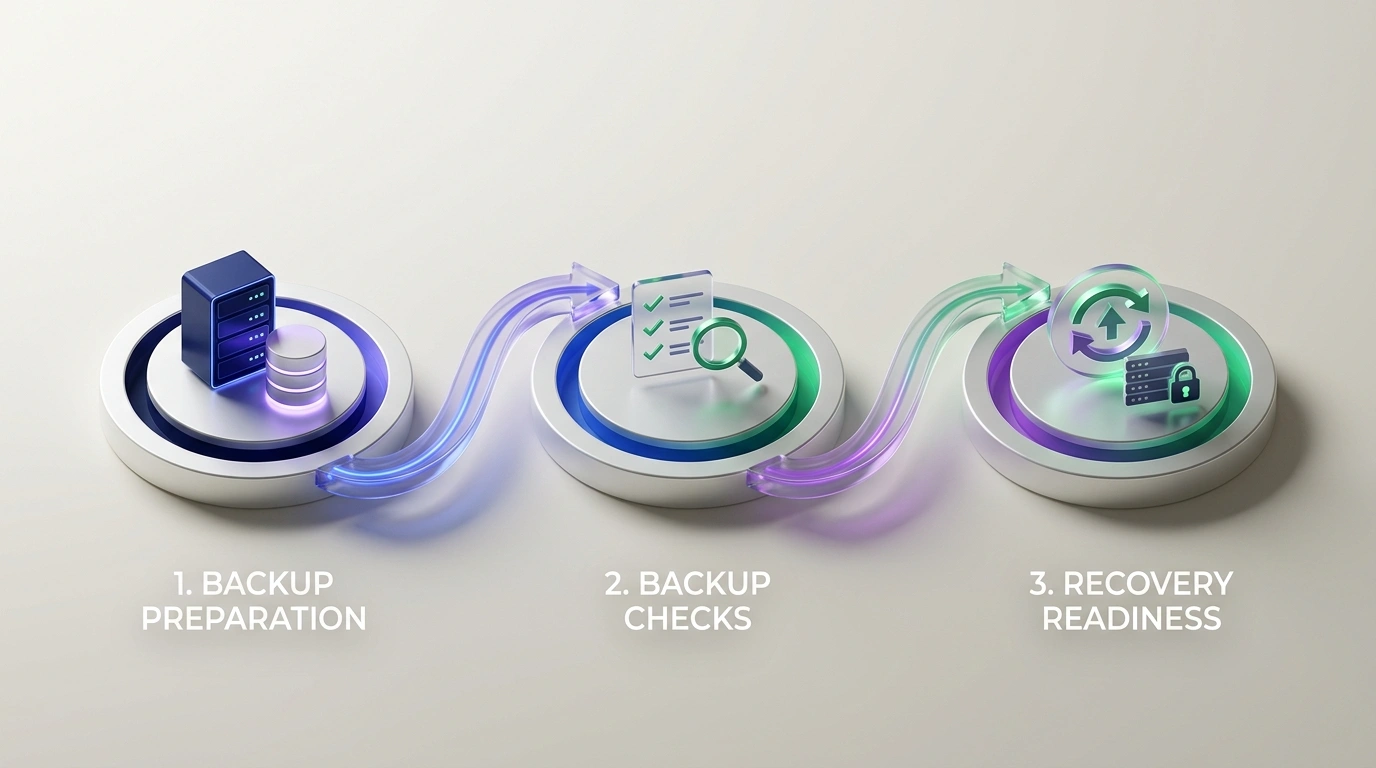
Review the available backup setup and what should be retained before larger updates.
Check available copies, retention, and access where the platform or hosting allows.
Identify restore options and the assistance available if a change needs to be reversed.
Backup and restore options depend on the website platform, hosting, access, and available copies.
Rapid Troubleshooting
Tell us what is happening and where you noticed it. We review the issue, identify the likely cause or requirement, agree the practical fix, test the change, and confirm the outcome.
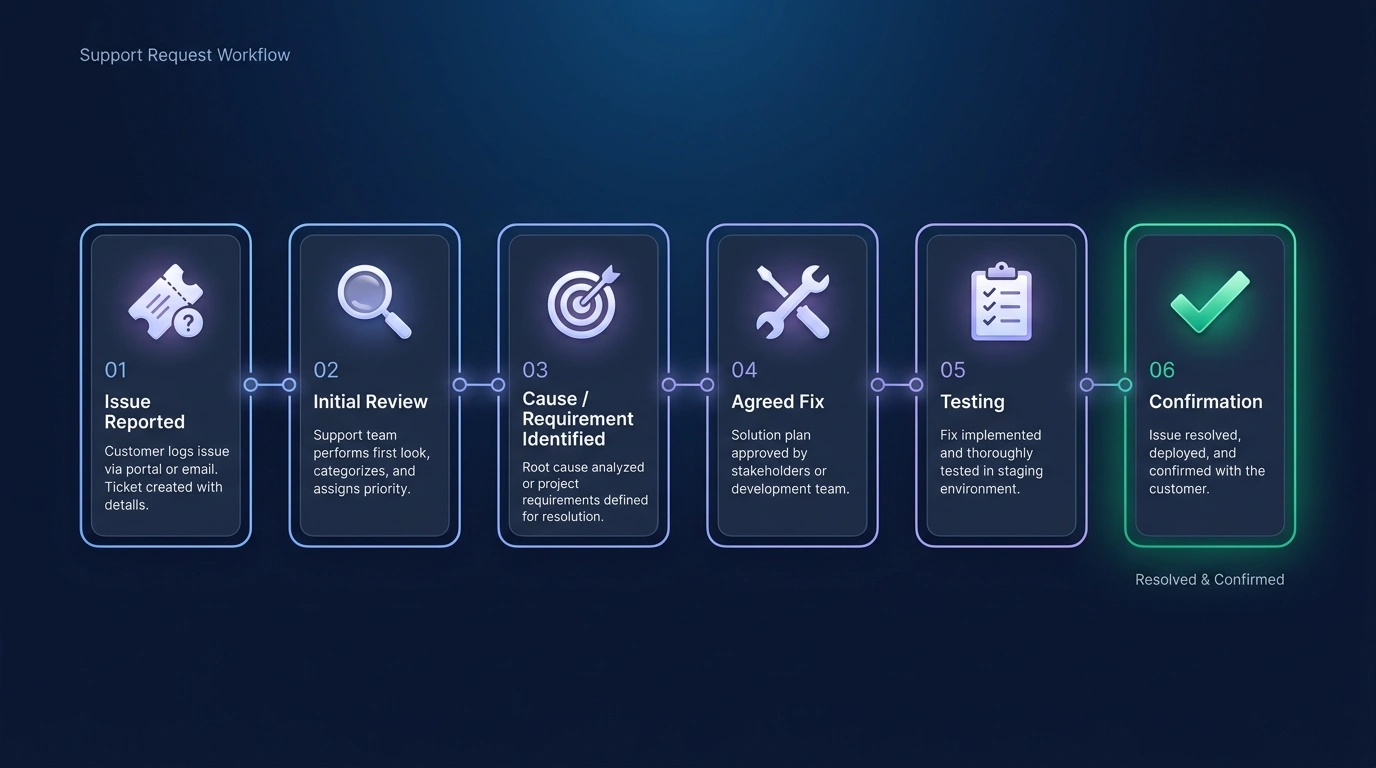
Describe the problem, where it appears, and what you expected to happen.
Review the page, steps, errors, and available details.
Identify findings and the practical requirement for the agreed work.
Confirm the scope before making changes.
Check the fix and related visitor paths.
Share the outcome and any remaining priorities.
Disciplined Execution
Website care should not mean making random changes. We review the need, agree what matters, make and test the change, then decide whether anything needs attention next.
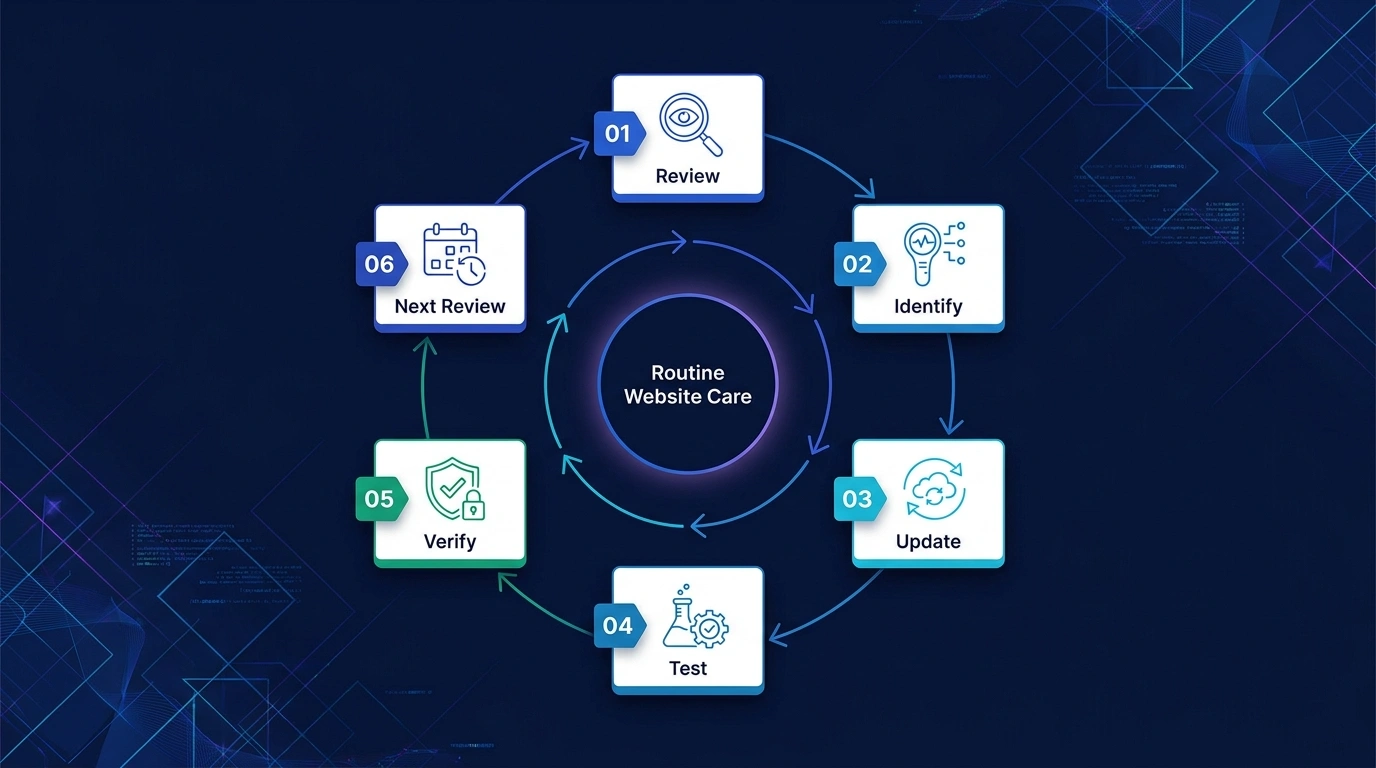
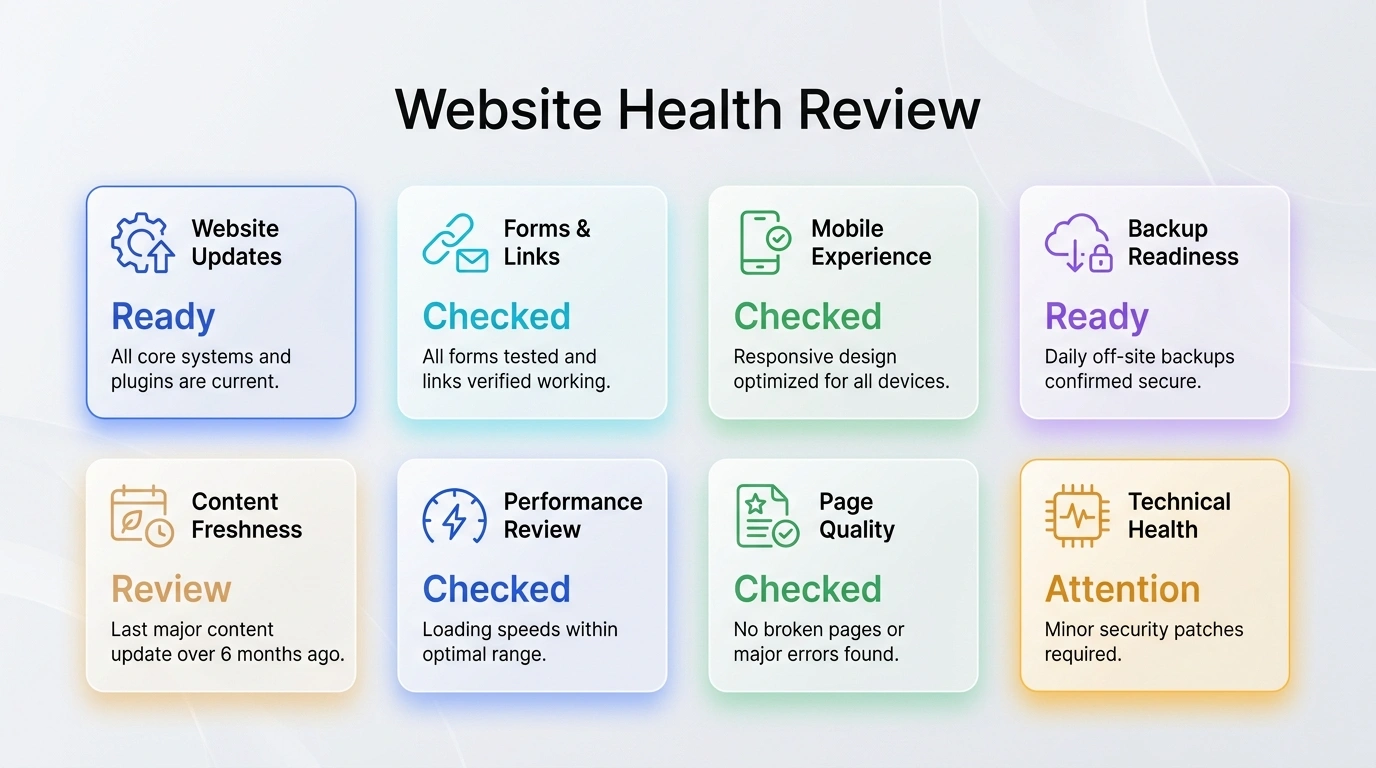
Forensic Evaluation
These are illustrative review categories. We look at the areas relevant to your request so recommendations address a real website need.
End-to-End Execution
You start with the problem or update you need. We help clarify the work, complete the agreed changes, and explain the result and any next steps.
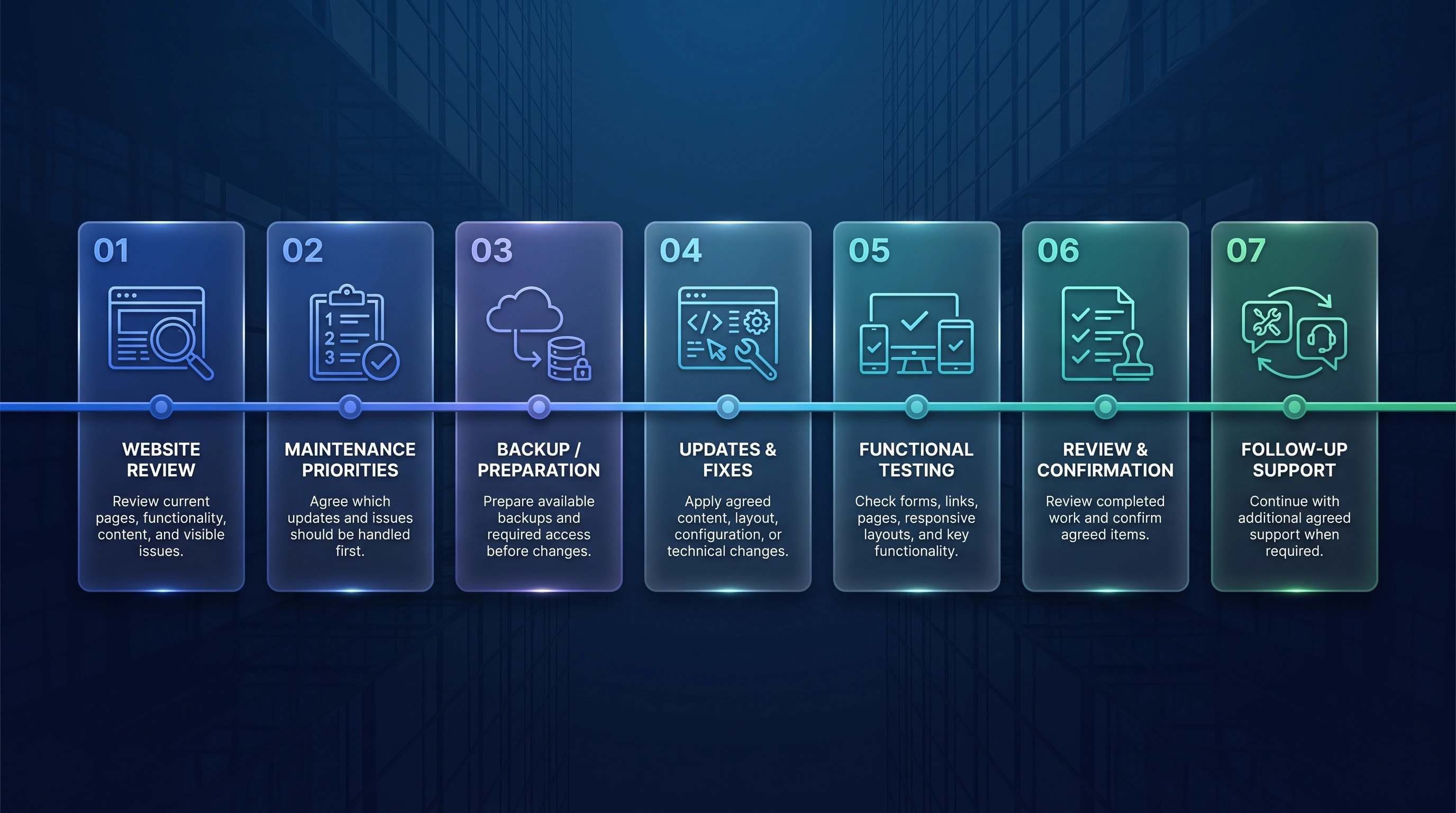
Review the existing website, platform, content, and support needs.
Agree the useful updates and the order in which to handle them.
Review available backups and prepare for the agreed work.
Complete the agreed content, layout, and technical changes.
Check forms, links, page behavior, and responsive layouts.
Review completed work and confirm the practical next steps.
Discuss further support as a separate need when useful.
Long-Term Value
Your website can evolve after launch as business information, content, platforms, and customer needs change. Maintenance is optional and shaped around what needs attention.
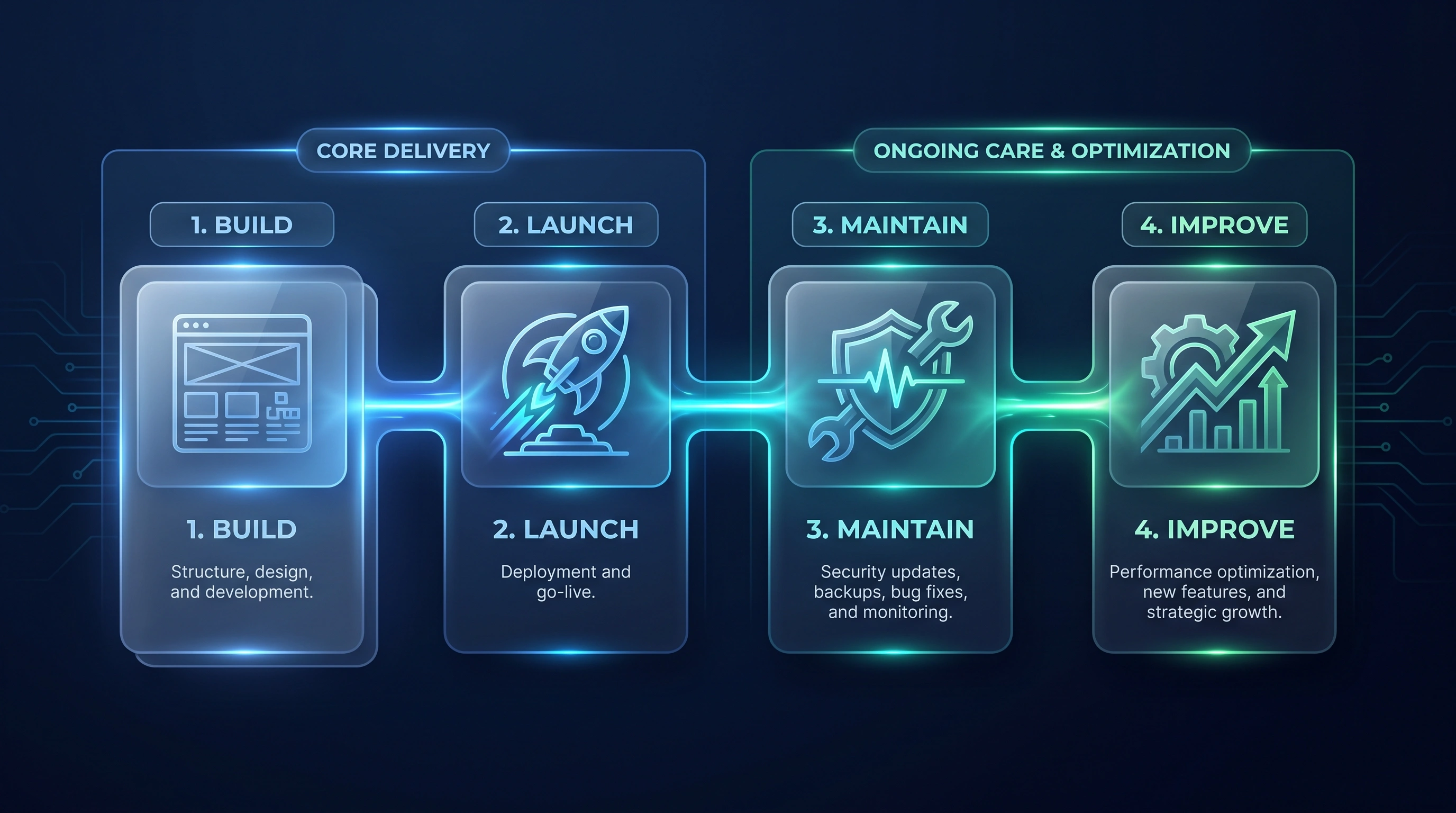
Transformation Value
These qualitative outcomes describe a more organized care process, not guaranteed technical or commercial results.
Related Services
Connect website care with a new build, content platform, commerce website, campaign page, or SEO work where useful.
Questions & Answers
Practical, factual answers about maintenance scope, technical capabilities, and scope-based support.
Maintenance can include agreed content and image updates, form and link checks, layout review, platform update guidance, troubleshooting, and practical website health checks. The exact work depends on the website, access, and agreed scope.
Yes. ASFIT can review an existing website built elsewhere. What can be changed depends on the platform, available access, the current setup, and the requested work.
Yes. Agreed content, image, business-detail, service-page, and page-layout updates can be included without requiring a full website redesign.
Yes. Share the affected page, the expected behaviour, and what happened instead. ASFIT reviews the issue, explains the practical scope, and can complete agreed fixes.
ASFIT can review WordPress plugin and theme update needs where relevant to the agreed work. Compatibility, available backups, access, and the condition of the website are considered before changes are made.
Share the affected page and what you have noticed. ASFIT can review the form, its delivery path, and related page behaviour to identify the practical next step.
Page weight, image loading, and other practical performance concerns can be reviewed within the agreed scope. Specific results depend on the website, platform, hosting, and required changes.
ASFIT can review available backup arrangements and prepare for agreed changes where access allows. Backup availability, restoration options, and testing depend on the platform, hosting, and agreed scope.
No. Maintenance can reduce avoidable issues through agreed review and update work, but no uptime, security, or permanent-risk guarantee is made.
Use the project request form to share your website link, what needs attention, and any relevant details. ASFIT will review the request and clarify a practical next step.
Start Your Website Maintenance Project
Send your website link and explain the maintenance need. We will review the request, clarify the practical scope, and recommend a clear next step.


