

Central Contacts
Keep useful names, contact details, company context, and lead source together.
Custom CRM & Sales Workflow Development
Your enquiries, contacts, conversations, sales opportunities, and follow-ups do not need to remain scattered across forms, WhatsApp, email, spreadsheets, and staff memory.
ASFIT Solutions plans custom CRM workflows that bring the agreed customer information, ownership, stages, and next actions into one organized system.
Direct Business Summary
A CRM brings the agreed customer information, lead stages, ownership, and follow-up work into a clearer shared process. The practical scope is shaped around how your business operates.
Keep useful names, contact details, company context, and lead source together.
Make responsibility and the staff member handling the next action visible.
Review active leads and opportunities across agreed stages.
Organize next actions, due dates, and reminder behavior where included.
Who It Helps
A CRM is most useful when enquiry volume, staff involvement, or customer history has outgrown disconnected tools and individual memory.
Businesses receiving enquiries through website forms, WhatsApp, email, phone, or other supported channels.
Teams that have outgrown manually updated sheets, personal notes, and fragmented records.
Businesses where several team members need shared customer context and clear responsibility.
Teams that need to see who owns a lead, opportunity, or next action.
Businesses that need scheduled next actions and follow-up history to be easier to review.
Organizations managing longer enquiry, qualification, proposal, and client journeys.
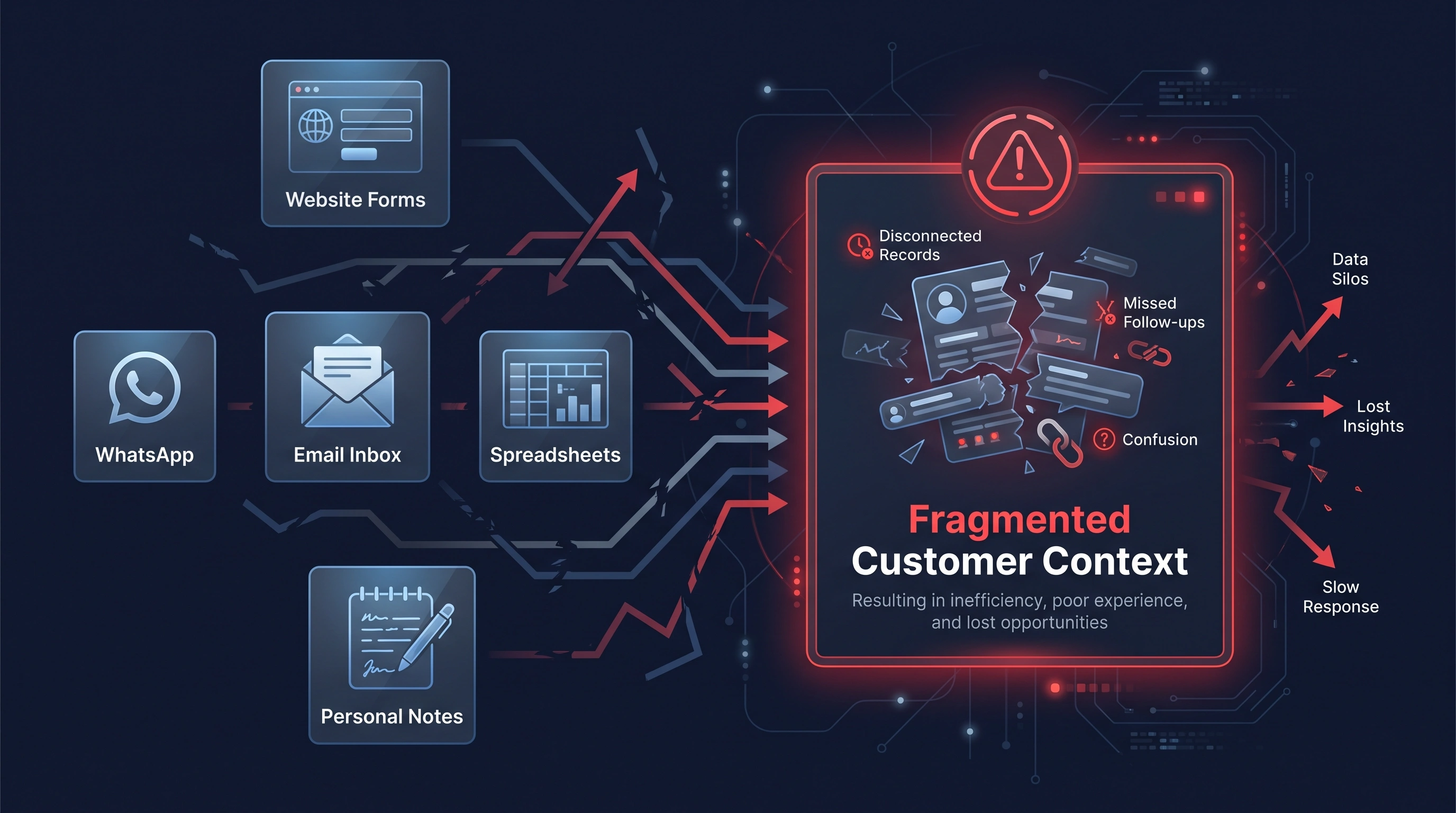
Scattered Customer Information
Without a central workflow, useful enquiry details and customer history can become fragmented across separate tools.
Enquiries can remain separated from later conversations.
Customer context may stay on individual devices.
Important replies can be difficult for the wider team to see.
Manually updated rows can fall behind the real situation.
Next actions can depend on one person remembering them.
Workflow Comparison
Compare disconnected operating habits with a shared customer workflow designed around visible records, ownership, stages, and next actions.
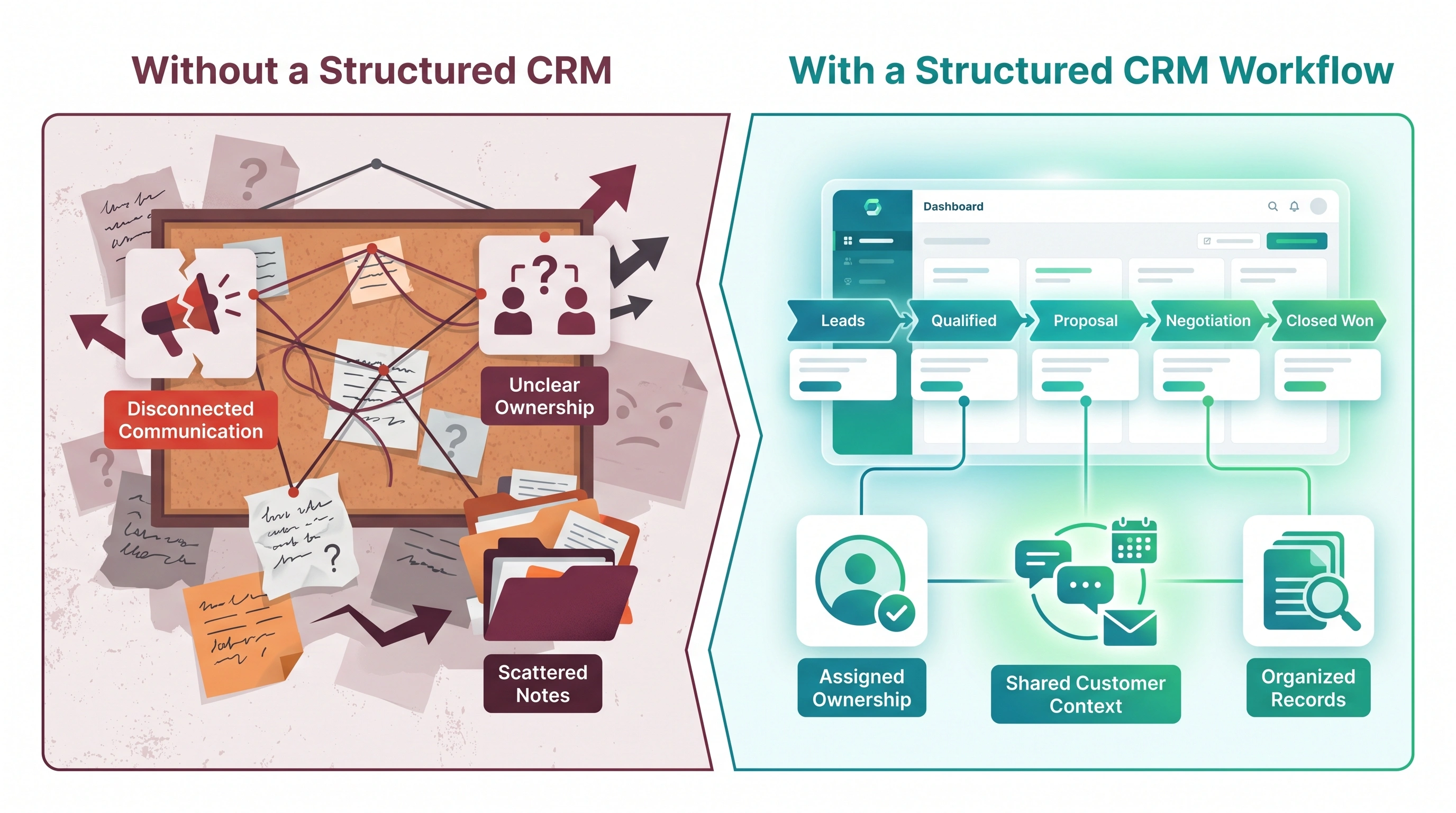
Without a Structured CRM
With an ASFIT CRM Workflow
System Capabilities
Capabilities are selected around the agreed operational workflow. A CRM project does not automatically include every item below.
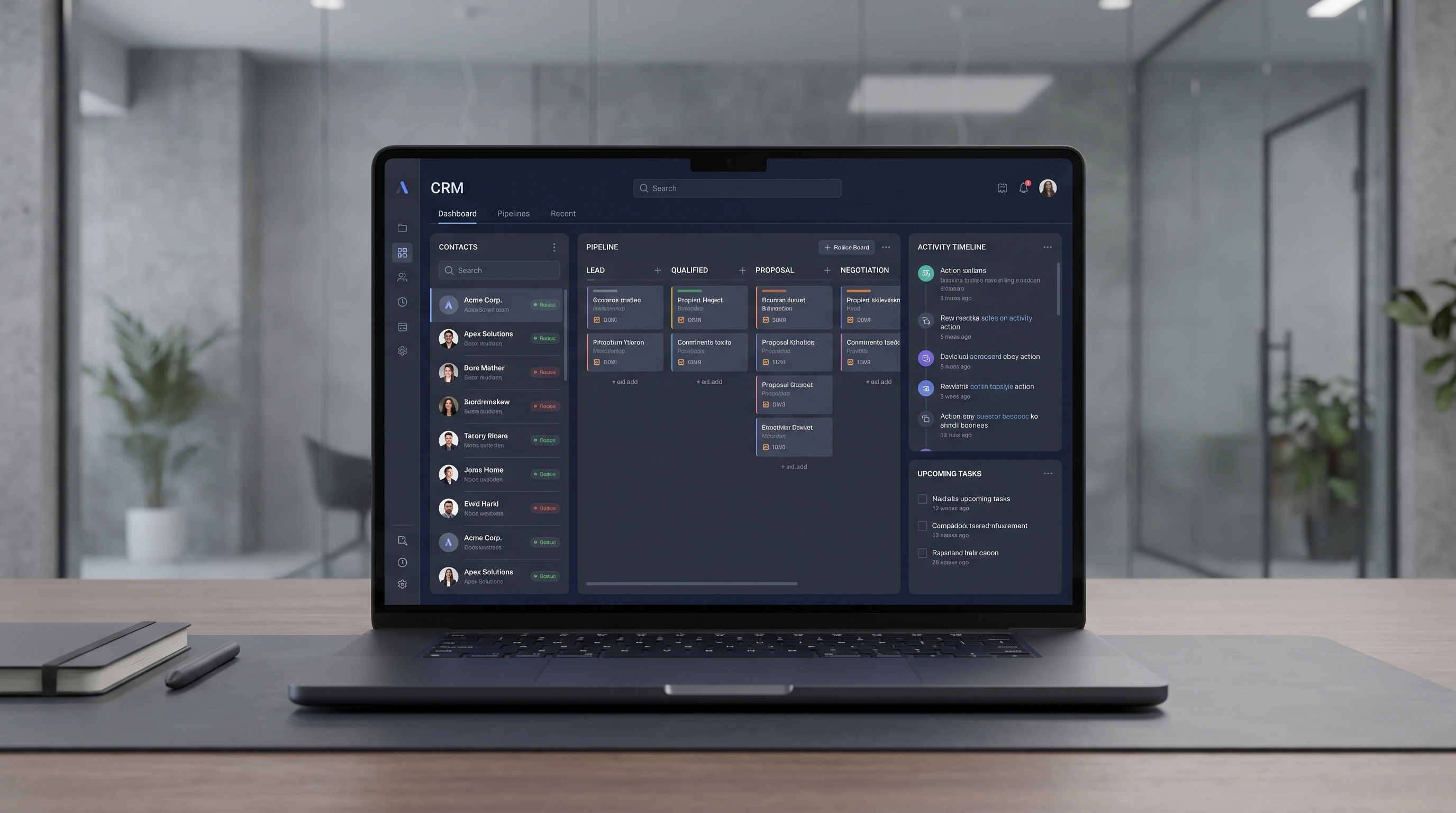
Centralized Record UI
The customer journey and the agreed contact context can be reviewed together instead of reconstructed from separate tools.
Sample Interface Content
Pipeline Visibility
Organize active opportunities across agreed stages so staff can understand progress and responsibility at a glance.
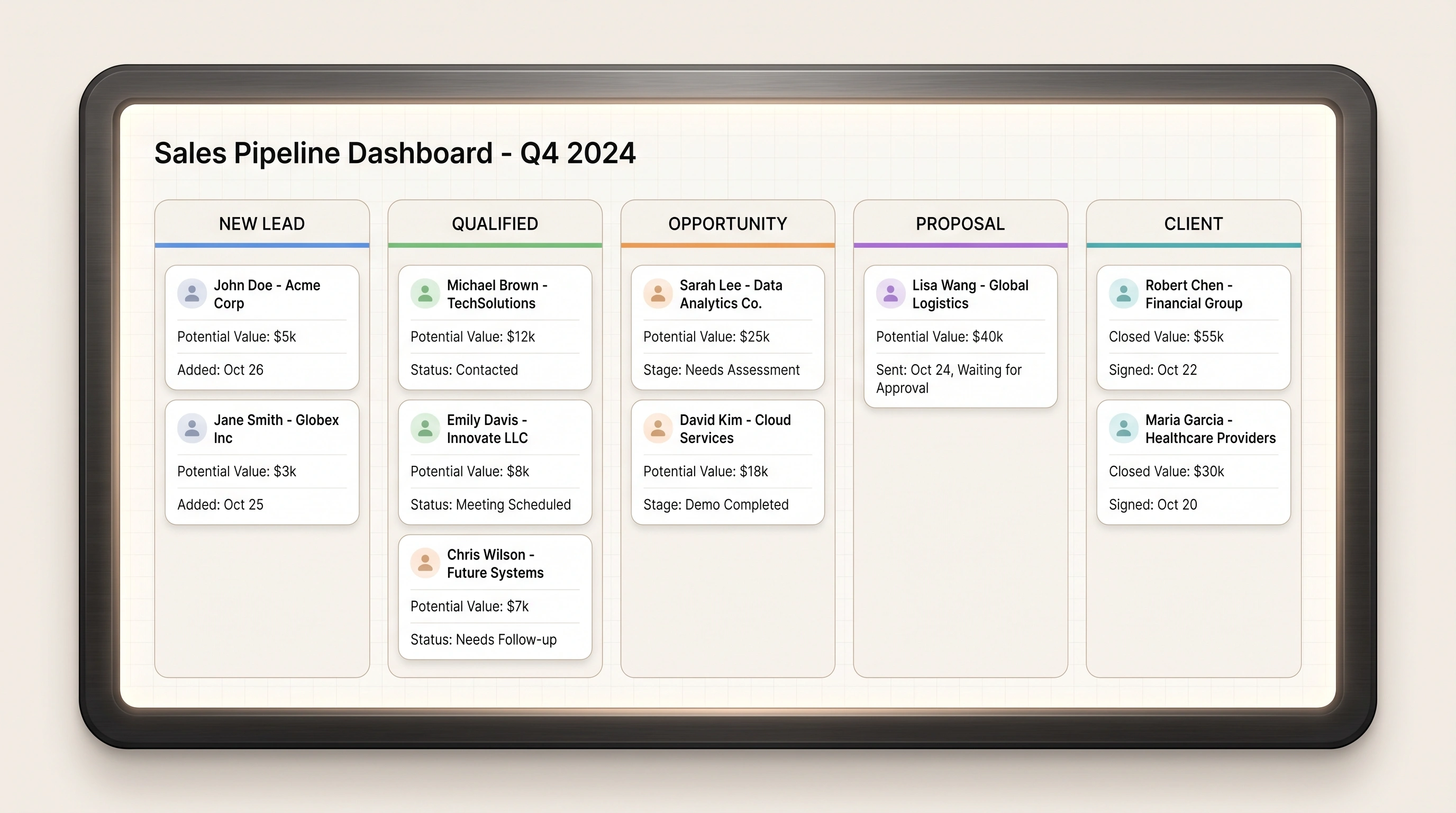
Website enquiry / Referral received
Requirement reviewed / Fit confirmed
Scope discussion / Next action planned
Proposal shared
Agreed work started
Pipeline stages, record fields, and responsibility rules are tailored to the agreed business workflow.
Action Continuity
Follow-ups, next actions, and reminders can be organized and automated where required, depending on project requirements.
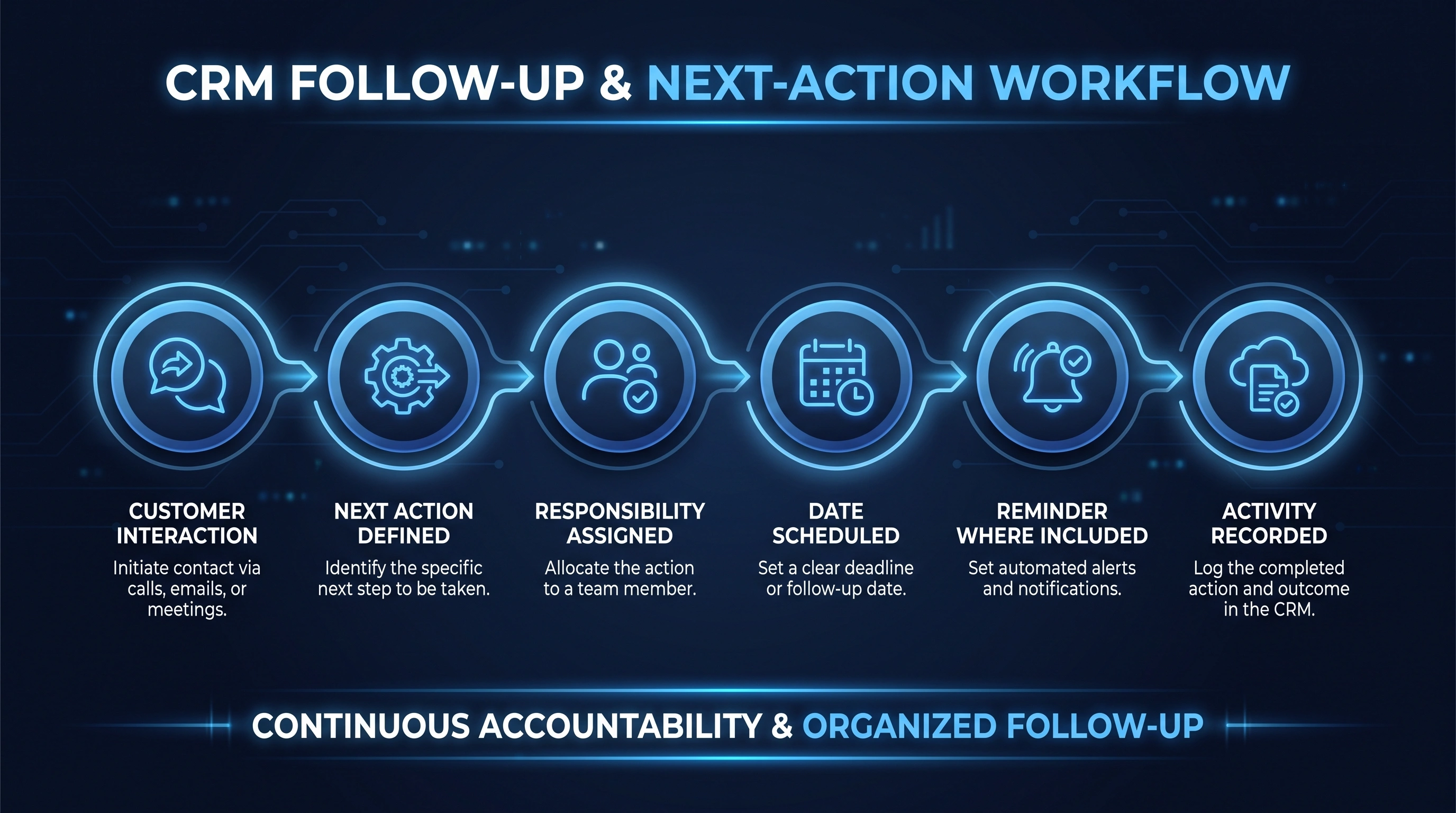
An enquiry, call, form, or message is received.
The team identifies the useful follow-up.
An owner is linked to the next action.
A suitable due date or calendar point is recorded.
Supported reminders or workflow actions can notify the owner.
The completed action remains in the customer history.
Project Timeline
A structured route from understanding the current business workflow to testing and refining the agreed CRM system.
Review enquiry channels, customer information, staff roles, and the current workflow.
Map contact fields, lead stages, ownership, follow-ups, and pipeline steps.
Plan structured data relationships, permissions, records, and system boundaries.
Build the agreed responsive CRM screens, records, and workflow tools.
Connect supported forms, channels, email, calendars, or business tools within scope.
Test records, permissions, lead assignment, workflow stages, and responsive behavior.
Deploy the agreed CRM, support staff orientation, and review practical refinements.
Business-First Architecture
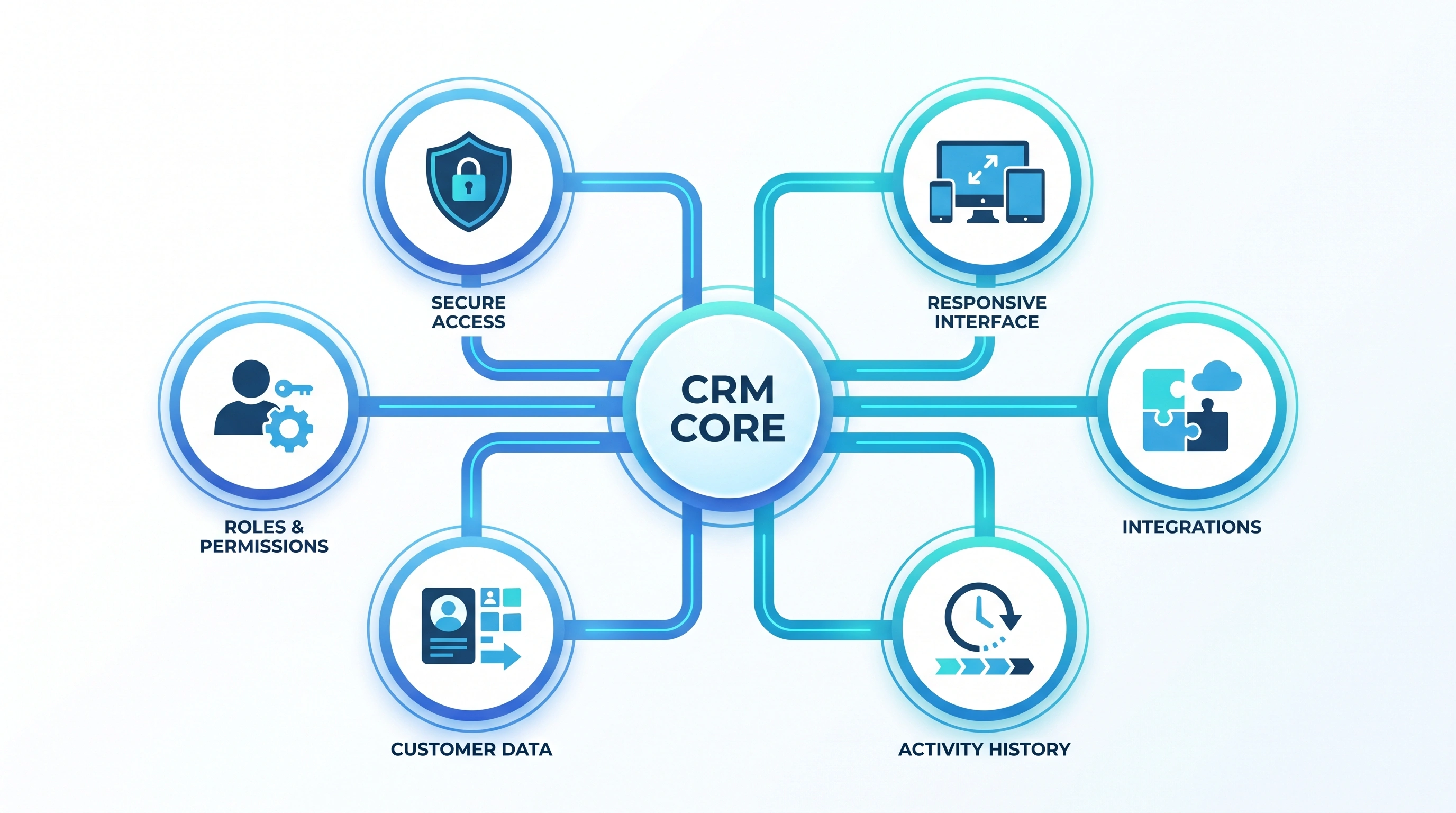
Technical decisions support clear operations, appropriate access, reliable records, and practical staff use.
Give staff access appropriate to their agreed responsibilities.
Plan protected access and appropriate handling of customer records.
Relate contacts, companies, enquiries, stages, and activities clearly.
Keep useful notes, stage changes, and follow-up activity over time.
Prepare supported connections for forms, channels, and business tools.
Let authorized staff review leads and actions across practical screen sizes.
System Connectivity
A CRM can serve as a central operational hub connected to supported enquiry channels and business tools.
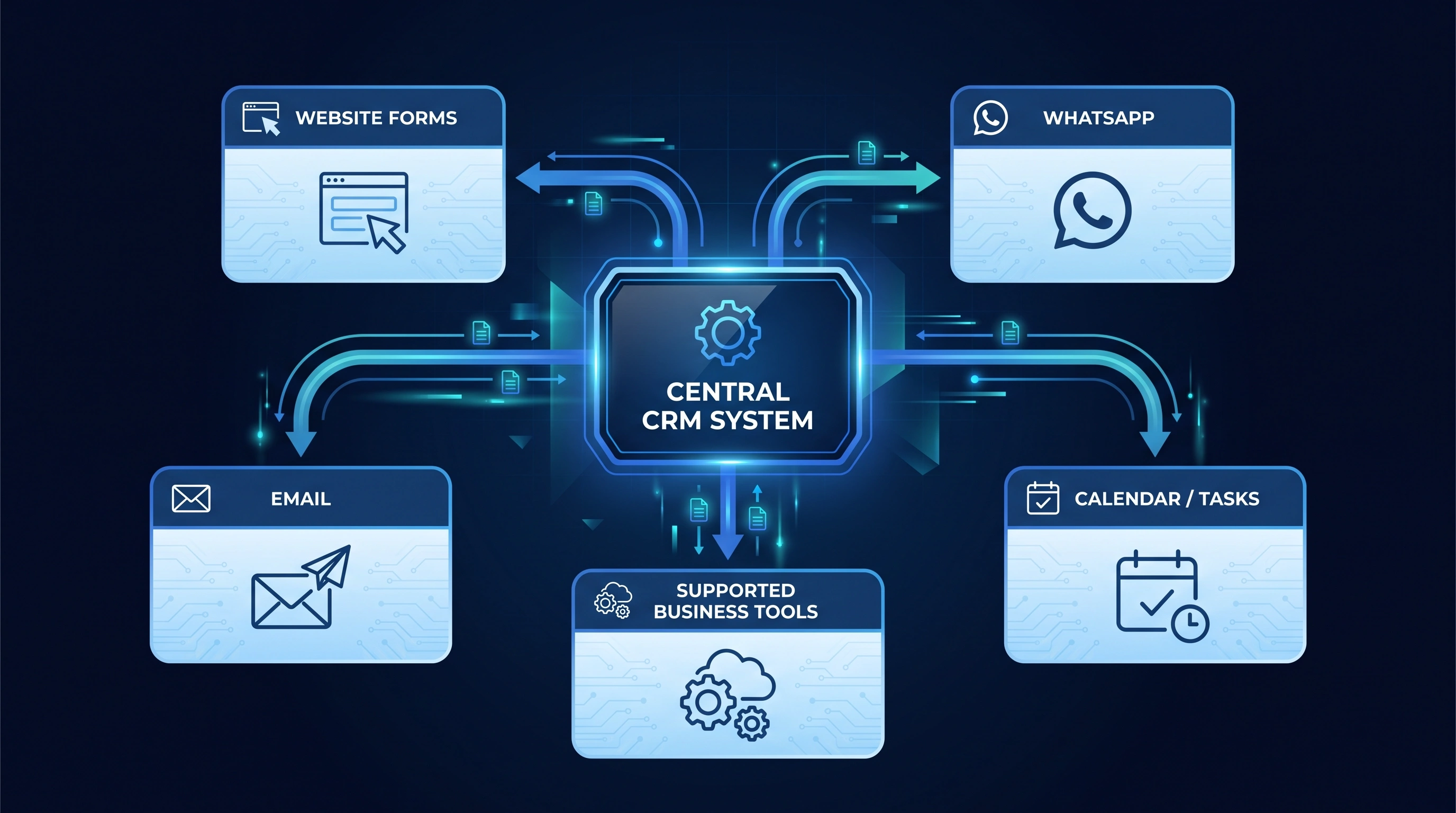
Available integrations depend on project requirements and supported platforms.
Practical Value
The value of a CRM is operational: clearer customer context, visible responsibility, and a workflow the team can repeat.
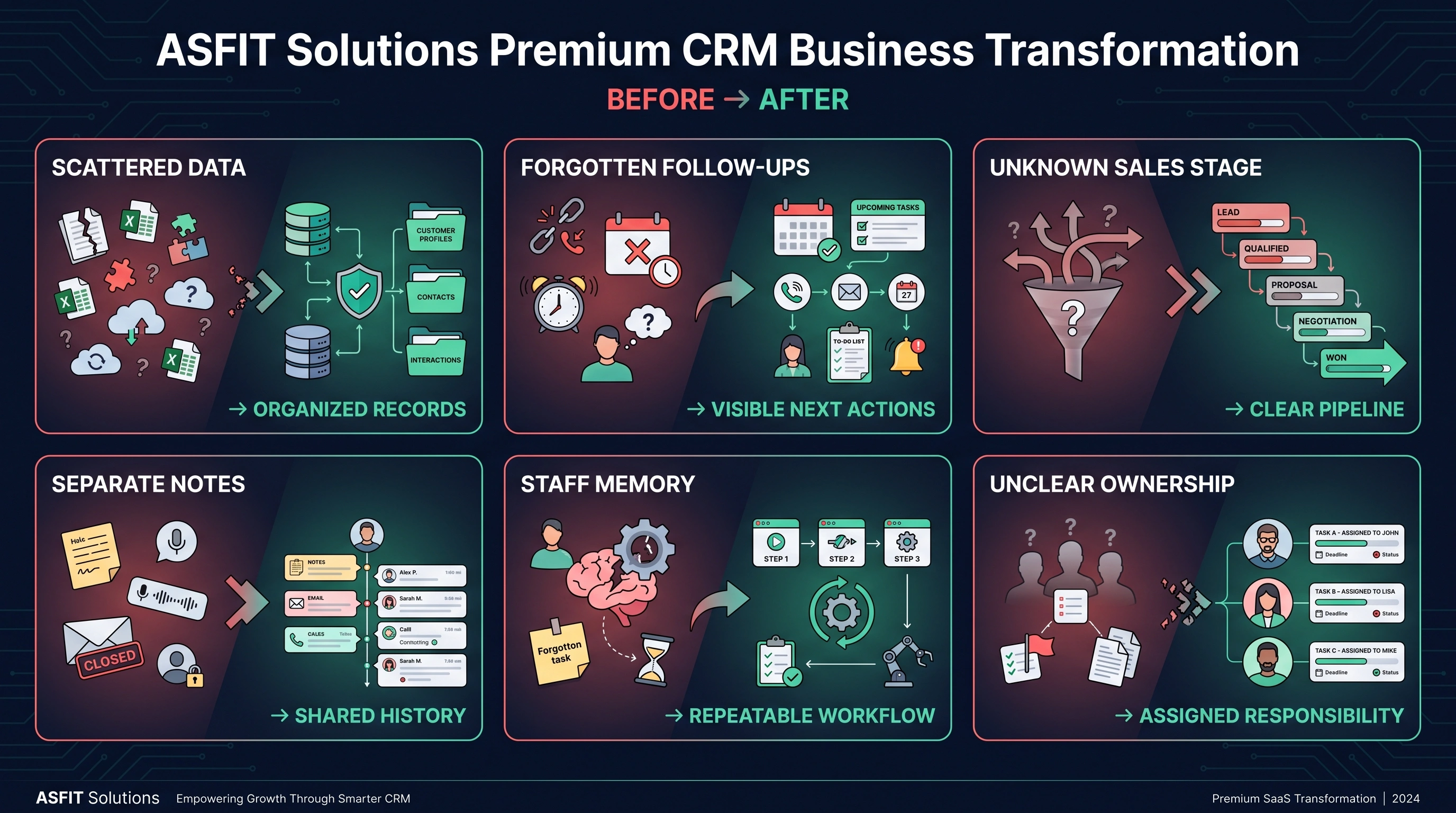
FromScattered customer information
↓ToOrganized customer context
FromForgotten follow-ups
↓ToVisible next actions
FromUnknown opportunity position
↓ToClear pipeline stage
FromDisconnected notes
↓ToShared activity history
FromIndividual staff memory
↓ToRepeatable business workflow
FromUnclear lead ownership
↓ToAssigned staff accountability
Complementary Capabilities
Related capabilities are linked only when a production service route exists. Planned services are clearly marked and do not create broken destinations.
Questions & Answers
Practical answers about custom scope, staff access, enquiry capture, pipeline stages, follow-ups, and data import.
A custom CRM is a customer relationship management system designed around a business's agreed enquiry channels, contact records, staff roles, sales stages, and follow-up workflow.
A CRM may be useful when customer information is scattered, follow-ups are difficult to review, ownership is unclear, or generic tools do not fit the way your team works. ASFIT first reviews the current process and practical need.
Yes, where the website form and CRM integration are supported within the project scope. The captured fields, routing, notifications, and record creation behavior are agreed before implementation.
A CRM can provide a shared customer record with suitable contact details, notes, activity context, and next actions. What each staff member can view or change depends on the agreed roles and permissions.
Yes. Lead assignment and ownership can be included so the team can see who is responsible for the next action. Assignment rules or automation depend on project requirements.
Yes. A CRM can organize scheduled next actions, due dates, follow-up history, and reminder functionality where included. The exact behavior depends on the agreed workflow and integrations.
Yes. A visual pipeline can show leads or opportunities across agreed stages such as New Lead, Qualified, Opportunity, Proposal, and Client. Stages are tailored to the business process.
Existing data may be imported after its format, quality, ownership, and target fields are reviewed. Data cleanup, mapping, and import volume can affect the project scope.
Yes. Role-based permissions and team access controls can be planned so staff access matches their responsibilities. The exact permission model is agreed during architecture planning.
Share how enquiries currently arrive, where customer information is stored, who handles each stage, and what follow-ups are difficult to manage. ASFIT will review the workflow and recommend a practical scope.
Start Your CRM Project
Tell ASFIT how enquiries, customer information, ownership, sales stages, and follow-ups are handled today. We will review the workflow and recommend an appropriate CRM direction.