

Protected Client Access
Give clients role-appropriate access to the account or project information included in scope.
Custom Client Portals & Workspace Systems
ASFIT Solutions develops custom client portals that give customers an organized place to access agreed project information, updates, requests, files, and account-related resources.
The portal structure is planned around the client journey, user roles, and capabilities included in the agreed project scope.
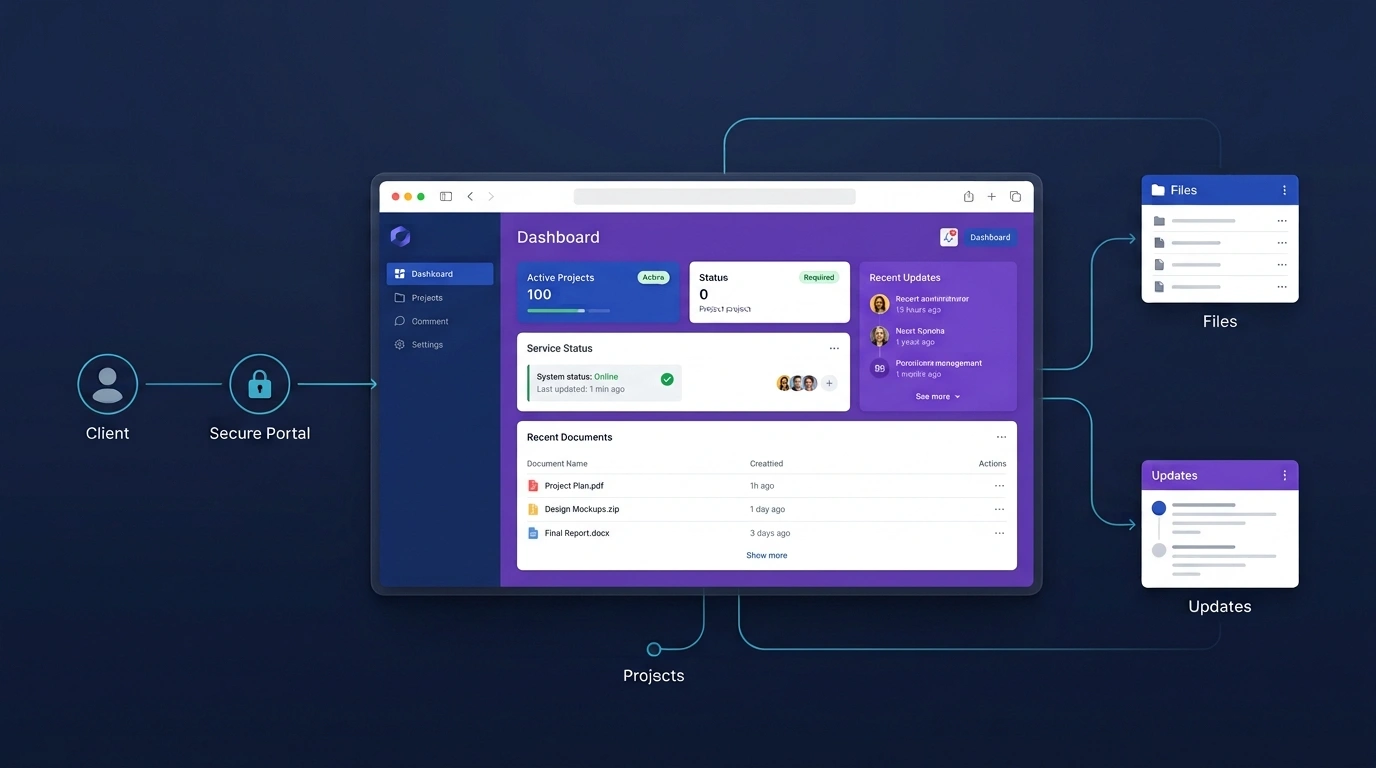
Direct Business Summary
A custom client portal gives customers a clearer online location for the information, actions, and resources included in their account or project experience.
Give clients role-appropriate access to the account or project information included in scope.
Bring agreed project details, updates, and account context into one structured workspace.
Use supported forms and status views to make client requests easier to follow.
Organize selected files and resources so clients can find them without repeated resends.
Target Audience
Client portals are most useful when ongoing client relationships involve repeated information, documents, updates, requests, or account access.
Businesses that need clients to access agreed project information, documents, requests, or account resources in one place.
Teams sharing deliverables, project updates, files, and request status across ongoing client relationships.
Organizations managing longer client journeys that involve several contacts, documents, updates, or account interactions.
Businesses that need clients to review milestones, information, files, and current project context.
Organizations that need role-appropriate access to member information, resources, or supported account services.
Teams receiving recurring client questions or service requests that need a clearer shared workflow.
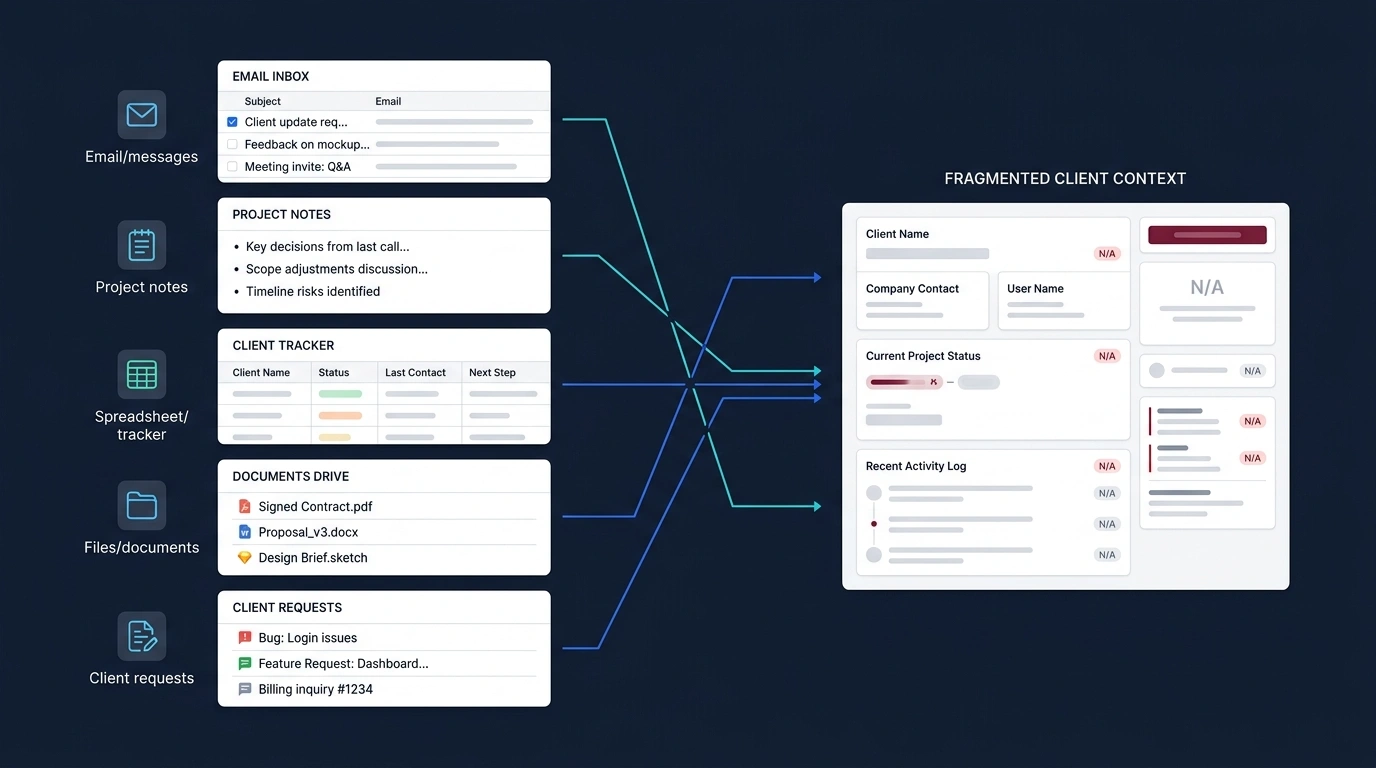
Communication Fragmentation
Exchanging files, requests, and project updates across separate channels can make the current client picture difficult to reconstruct.
Recognizable Frustrations
Workflow Transformation
Visualize the shift from fragmented manual communication to an organized client workspace.
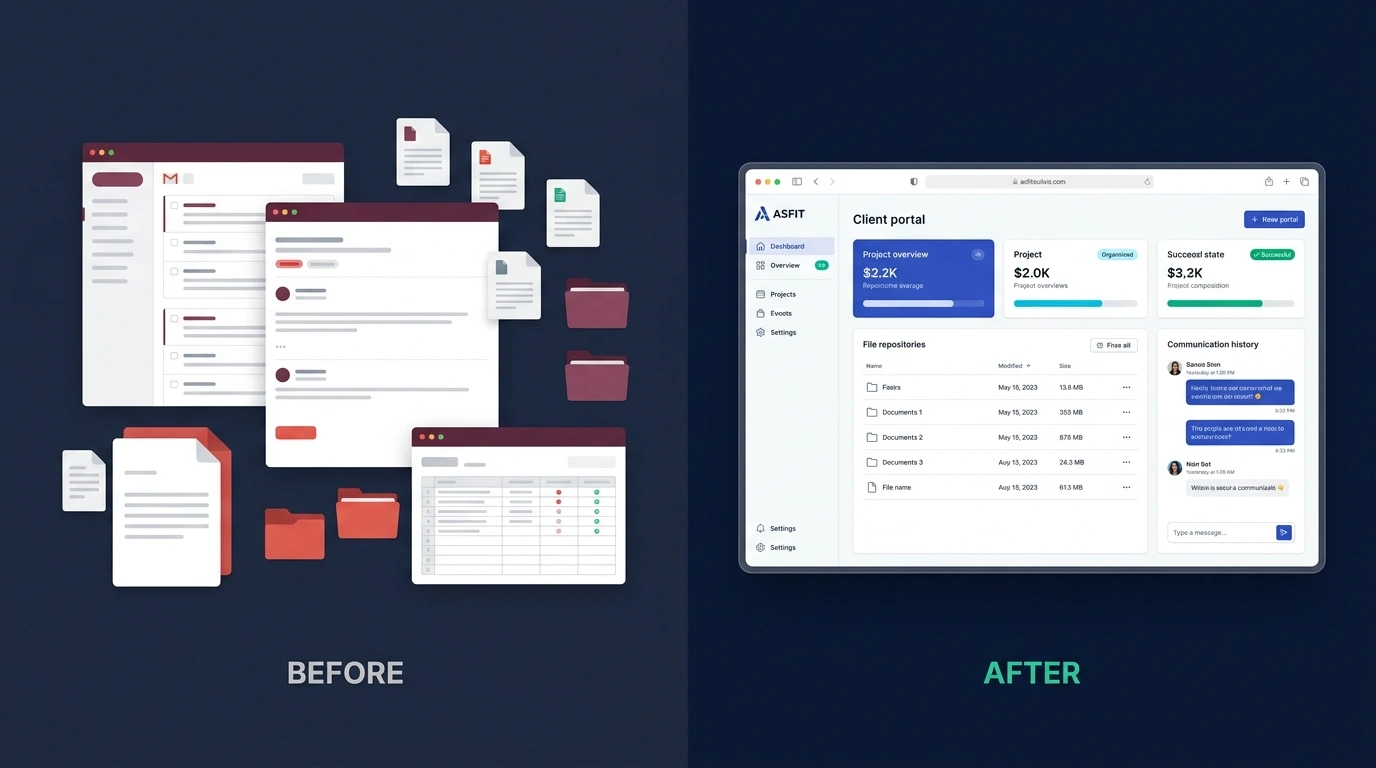
Before / Old Way
After / Structured Portal
Modular Capabilities
Capabilities are selected and customized around the agreed client relationship workflow.
Milestone, phase, progress, and activity information where included.
Structured client request forms and status handling based on scope.
Categorized document access and upload support where included.
Relevant updates, message references, and request history where supported.
Appropriate account, contact, preference, or company information.
Invoice or payment information where it forms part of the agreed portal.
Current project, service, or request status based on the selected workflow.
Supported in-app or email notifications where included and appropriate.
Permissions shaped around client accounts and staff responsibilities.
Supported CRM or business-system connections where required.
Available capabilities depend on project requirements and agreed scope.
Client Experience
See how customers can move from an initial invitation into useful ongoing access through one structured portal experience.
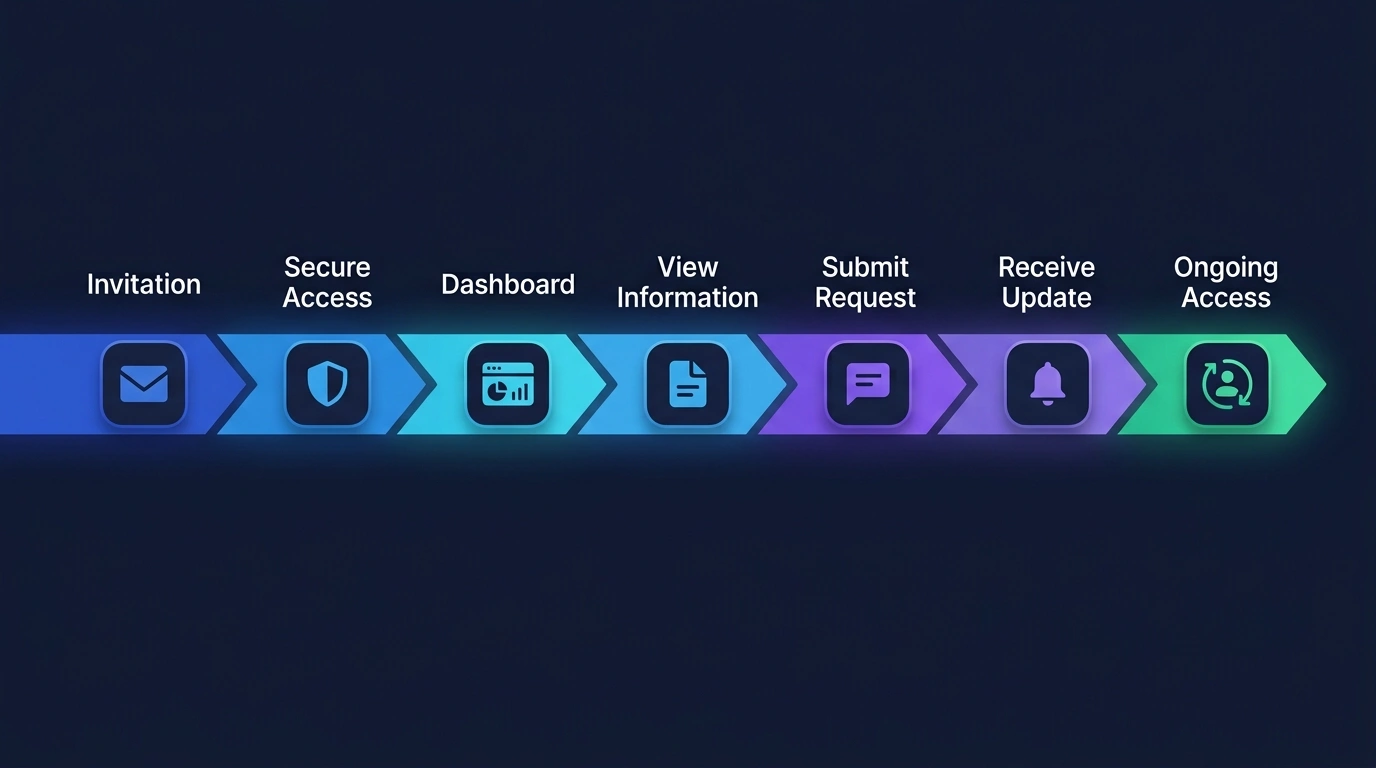
The exact access, dashboard, request, and update steps are tailored to the agreed client workflow.
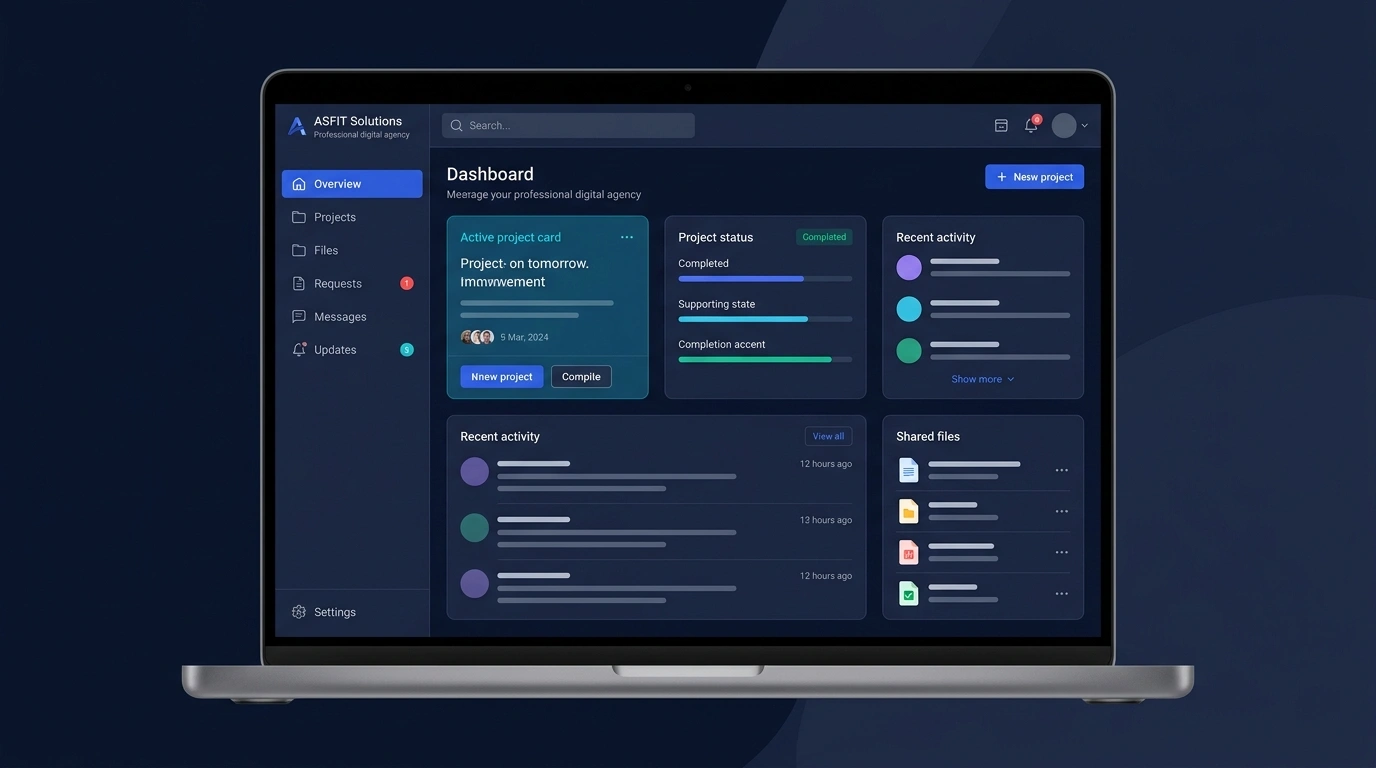
Portal Interface
A clear dashboard helps clients understand the information and next actions available to them without searching across separate messages.
Structured Requests
A defined request path helps clients and staff understand what was submitted, who is reviewing it, and what happens next.
The client uses the agreed request form or portal action.
The request is stored with useful account and project context.
An authorized team member reviews the request and requirements.
The team completes the agreed action or provides a response.
The request status reflects the current stage where included.
The client can review the update through the supported channel.
Status updates and notifications are included only where they form part of the agreed workflow.
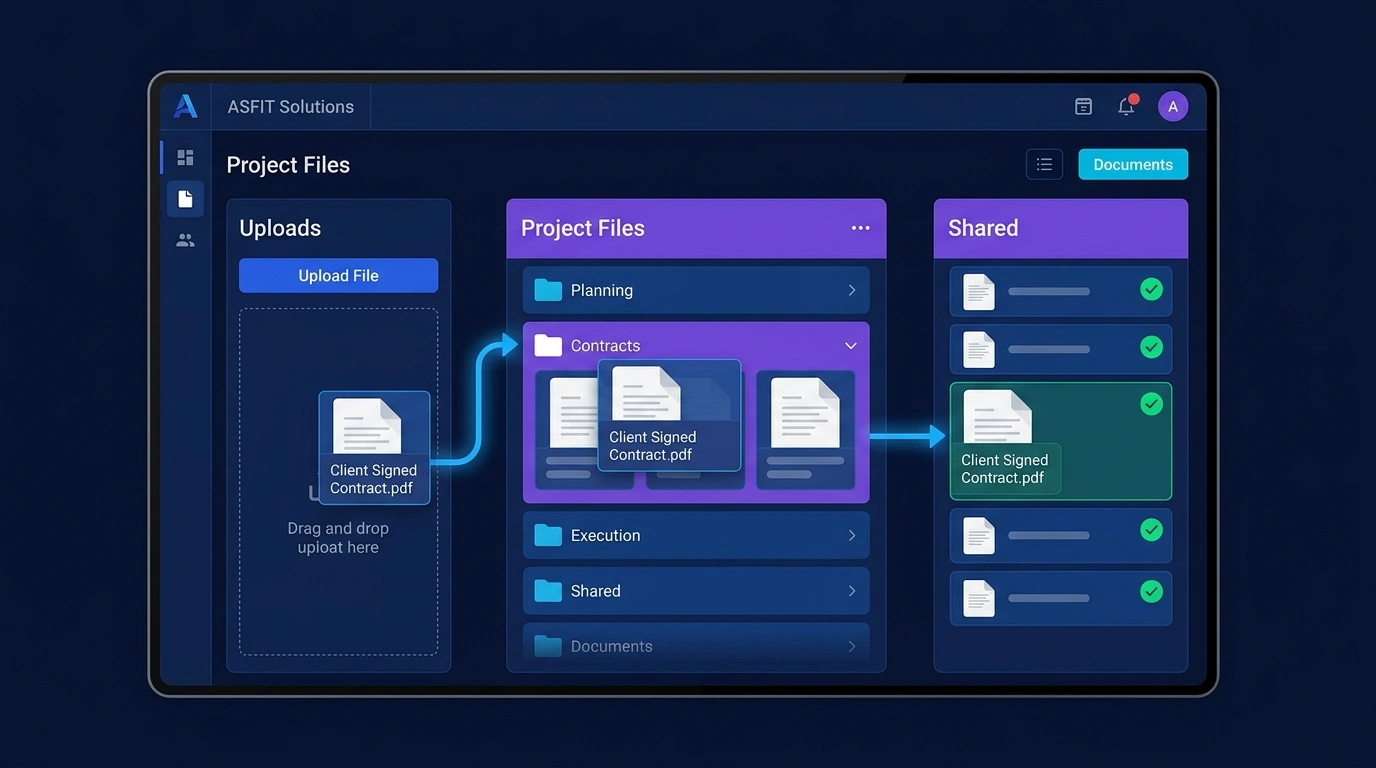
Document Management
Organize the project and account resources clients need into a clearer, role-appropriate document experience.
Development Timeline
A structured process moves from client workflow discovery through portal architecture, development, validation, and launch refinement.
Review current client interactions, information, requests, files, and operational objectives.
Map portal areas, client journeys, information structure, and agreed capabilities.
Define client user types, staff permissions, and role-appropriate access.
Develop responsive portal screens, dashboards, requests, files, and account views within scope.
Connect supported forms, CRM, email, calendars, storage, or business tools where required.
Test access, roles, responsive behavior, forms, documents, and agreed workflows.
Launch the approved portal, support user orientation, and review practical refinements.
Protected Architecture
A custom portal needs thoughtful access rules, structured client data, and appropriate handling of account information and files.
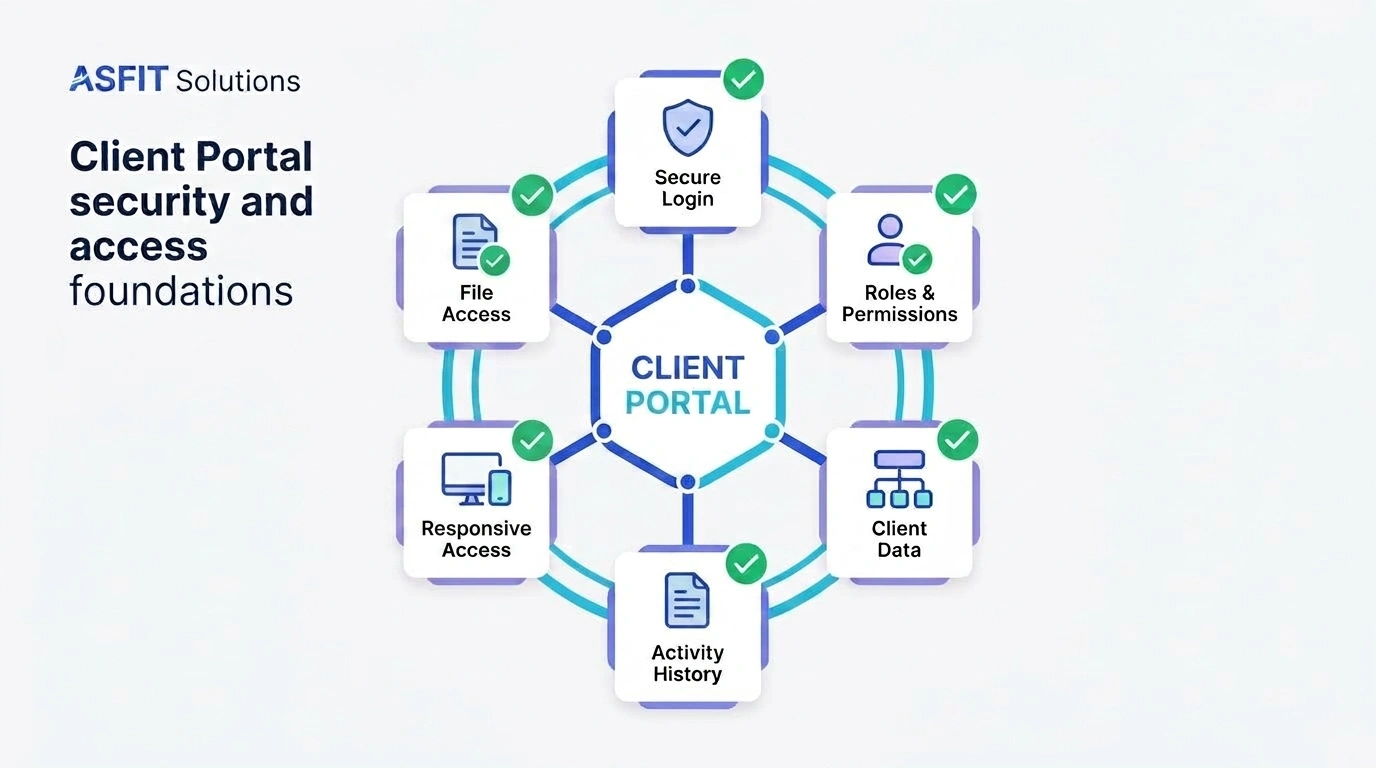
Protected login flows for authorized client accounts and staff users.
Permissions shaped around client-specific information and staff responsibilities.
Controlled document access based on the agreed storage and permission model.
System Connectivity
The client portal can function as a central client-facing workspace connected to supported tools.
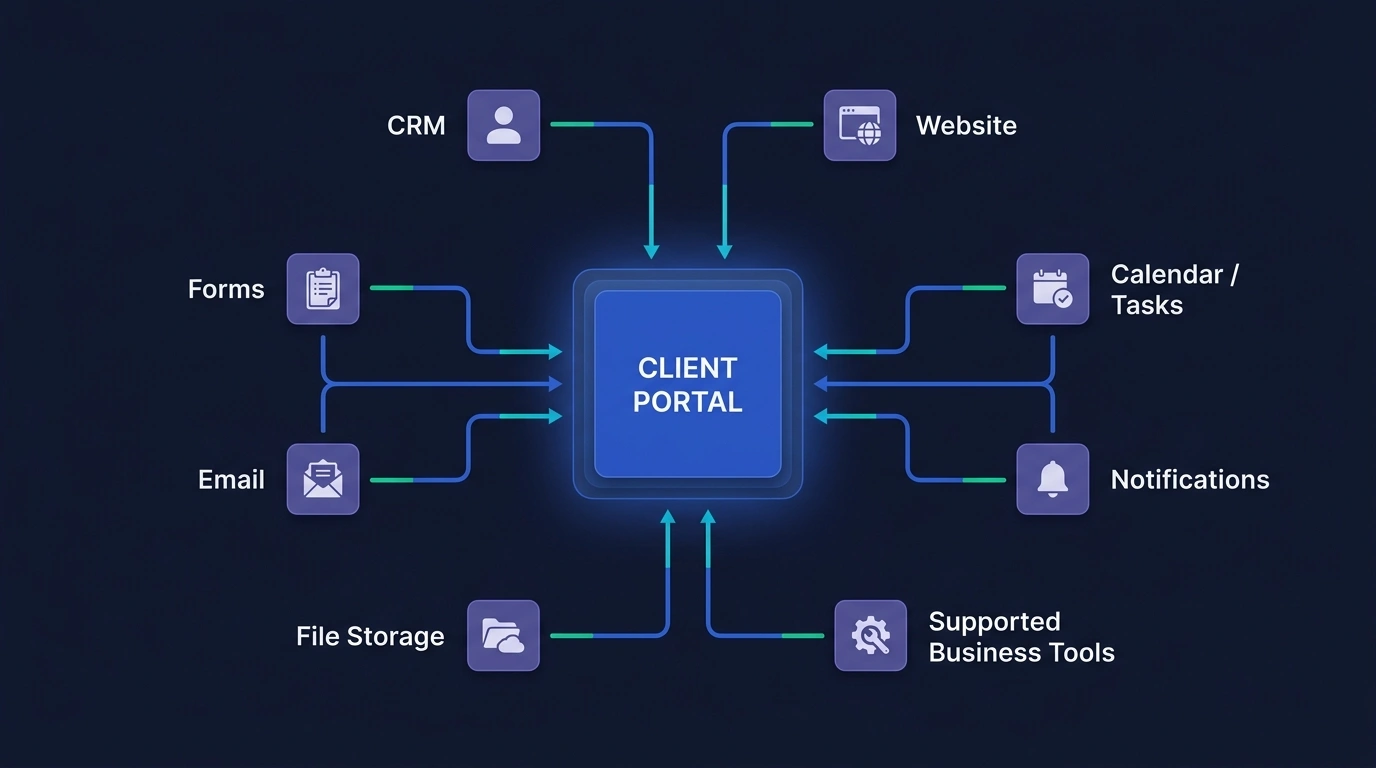
Available integrations depend on project requirements and supported platforms.
Practical Value
See how a structured client workspace can change everyday communication, visibility, document access, requests, and ongoing support.
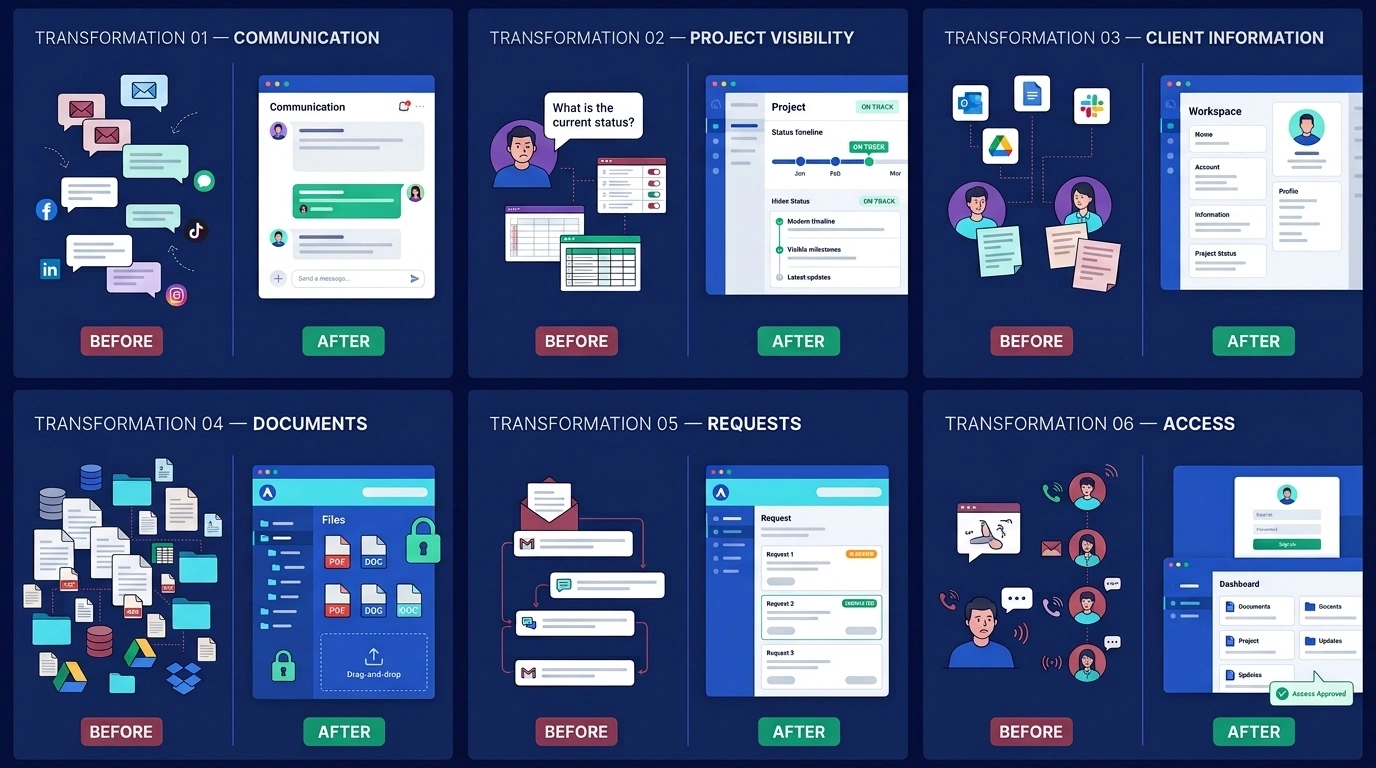
From: Scattered communication
To: Organized client context
From: Repeated status questions
To: Clearer project visibility
From: Files across multiple places
To: Structured document access
From: Email-chain requests
To: Organized request handling
From: Disconnected systems
To: A more unified client experience
From: Repeated staff assistance
To: Appropriate client self-service
Start Your Client Portal Project
Tell ASFIT Solutions how you currently share updates, documents, requests, and project information with clients. We will review the workflow and help define a practical portal structure for your business.